 01 / Discovery
 02 / Hypothesis
 03 / Framing
Signal source

User needs
Follow-up questions and real examples of repetitive work: what people were doing manually and what annoyed them.

Senior Product Designer: led discovery, framing and design through launch
Build automation into a live product already full of SMS, email, contacts, lists and tags without making the experience feel overwhelming.
Help users stop repeating the same work, while keeping the first version simple enough to understand and useful enough to come back to.
The full breakdown of these metrics appears at the end of the case study.
Research
We were not looking for a new automation product. After Email Campaigns launched, I was going through the feedback to understand what worked and what we should improve next. That review led somewhere else: different users were describing the same kind of repetitive work, and automation kept coming up as the thing they wished Textmagic could handle for them.
01 / Discovery
After Email Campaigns launched, I reviewed the post-launch feedback expecting most of it to be about the campaign builder. Some of it was. But a noticeable group of replies kept pointing to the work around the campaign itself: preparing lists, sending follow-ups, reacting to contact changes, and repeating the same steps over and over. The wording was different, but the underlying request was similar. That was the point where I stopped treating automation as a random feature request and started wondering whether there was a broader product opportunity behind it.
Textmagic Campaigns Feedbackjohn.doe@mail.comThe builder itself is easy to use, but there is still a lot of manual work around each campaign: preparing lists, checking who should receive what, and repeating the same follow-up steps. It would be really helpful if we could automate repetitive workflows, for example trigger a message or follow-up when something changes. That would probably save us more time than another small improvement to the campaign editor.
02 / Hypothesis
A lot of people asking for something does not automatically mean you should build it. I turned what we had heard into 12 working hypotheses and used them as questions to test, not conclusions to defend. Some held up, some only partly, and a few were useful because the research showed us what not to build.
If the repeated requests reflected a broader coordination problem, users should describe recurring workflows beyond email campaigns, not simply ask for “automation.”
ConfirmedIf Textmagic could connect SMS, email, contacts, lists and tags in one flow, users should be able to remove meaningful manual work without relying on a separate automation product.
ConfirmedIf common jobs were offered as ready-made templates, more users should reach a useful starting point faster and fewer should need to build every automation from a blank canvas.
ConfirmedIf templates solved the majority of first-use cases, most new automations should start from a template rather than from scratch.
Partially confirmedIf Automation worked as a cross-product layer rather than an email-only feature, adoption of connected Textmagic capabilities should grow alongside flow usage.
Partially confirmedIf one clear trigger covered most first-use cases, limiting the MVP to one trigger should improve setup clarity and execution reliability without blocking the majority of workflows.
ConfirmedIf advanced flexibility was the main value driver, multi-trigger and heavily branched flows would be necessary from day one.
FailedIf users mainly wanted maximum flexibility, a blank canvas should be a better default starting point than guided templates.
FailedIf AI-generated flows materially reduced setup friction, users should prefer generating a flow over starting from a template or building manually.
Partially failedIf the most valuable automations were inherently multi-channel, a large share of real workflows should combine email, SMS and contact-management actions in the same flow.
Partially confirmedIf the product model was simple enough, most useful automations should remain relatively short rather than grow into large, deeply branched workflows.
ConfirmedIf automations became part of recurring operations, users who adopted them should show deeper cross-feature usage and stronger return behaviour over time.
Partially confirmed03 / Framing
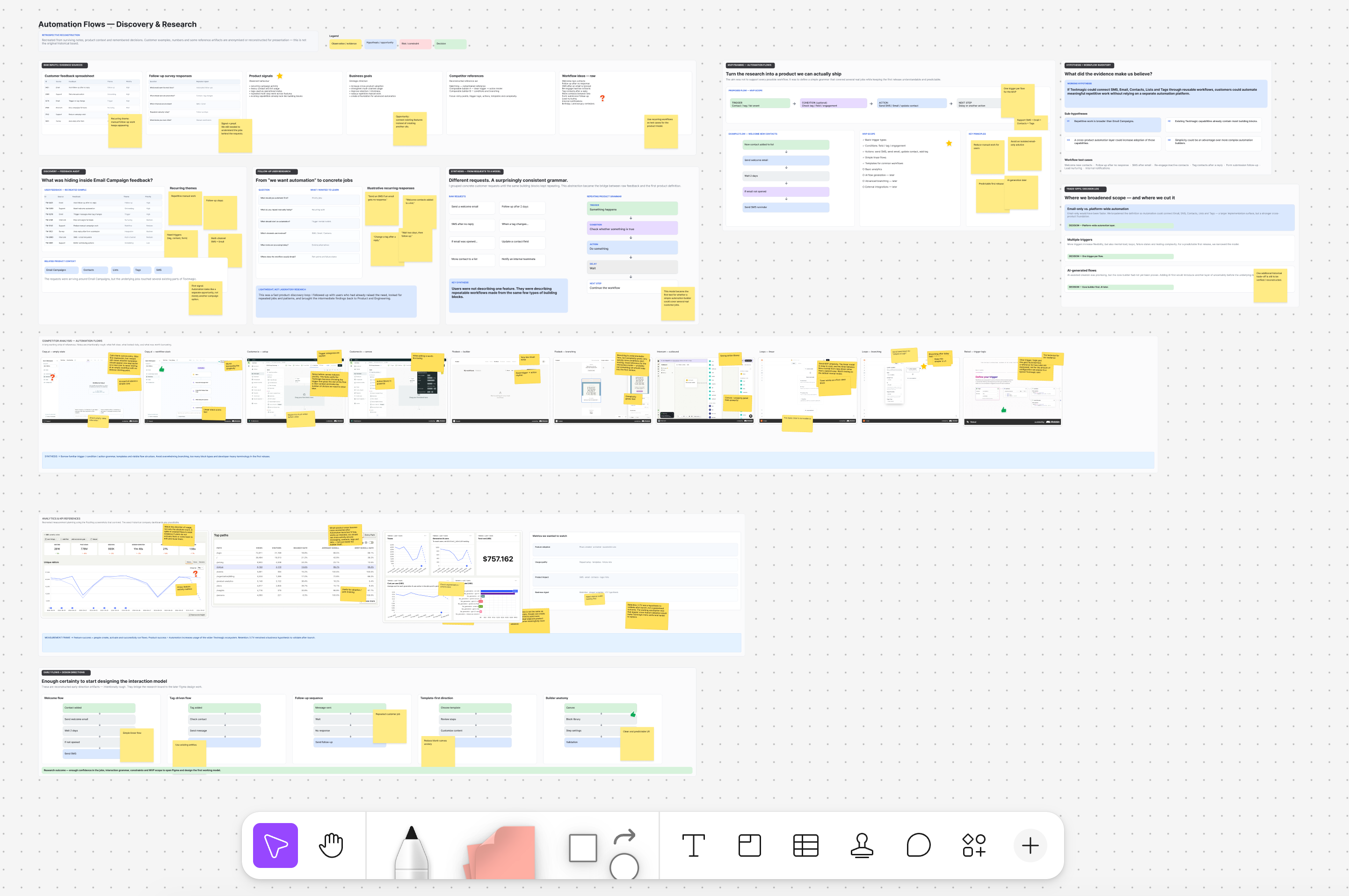
That turned out to be the real question. A request for automation can mean anything from a simple follow-up to a full workflow builder, and those are very different products. I went back to users for concrete examples, looked at how they were already using messaging, contacts, lists and tags, reviewed where Product wanted to take Textmagic, and studied other automation tools to see which patterns people would already recognise. The useful part was that these sources did not always agree. The gaps between them helped us see where the real decisions were.
Follow-up questions and real examples of repetitive work: what people were doing manually and what annoyed them.
Usage data across messaging, contacts, lists and tags, checked against what people said they wanted.
Whether automation could strengthen the product as a whole instead of becoming one more isolated feature.
How other automation tools handled familiar problems, useful patterns to borrow, and complexity we did not want to inherit.
The follow-up research made one thing clear: people were not excited about building workflows for the sake of it. They wanted to stop repeating the same jobs. Once we started collecting concrete examples, the same scenarios kept coming back. We turned the most common ones into templates, so a user could start close to the answer instead of from an empty canvas.
Recurring job from follow-up research
Recurring job from follow-up research
Recurring job from follow-up research
Recurring job from follow-up research
Recurring job from follow-up research
Recurring job from follow-up research
04 / Product definition
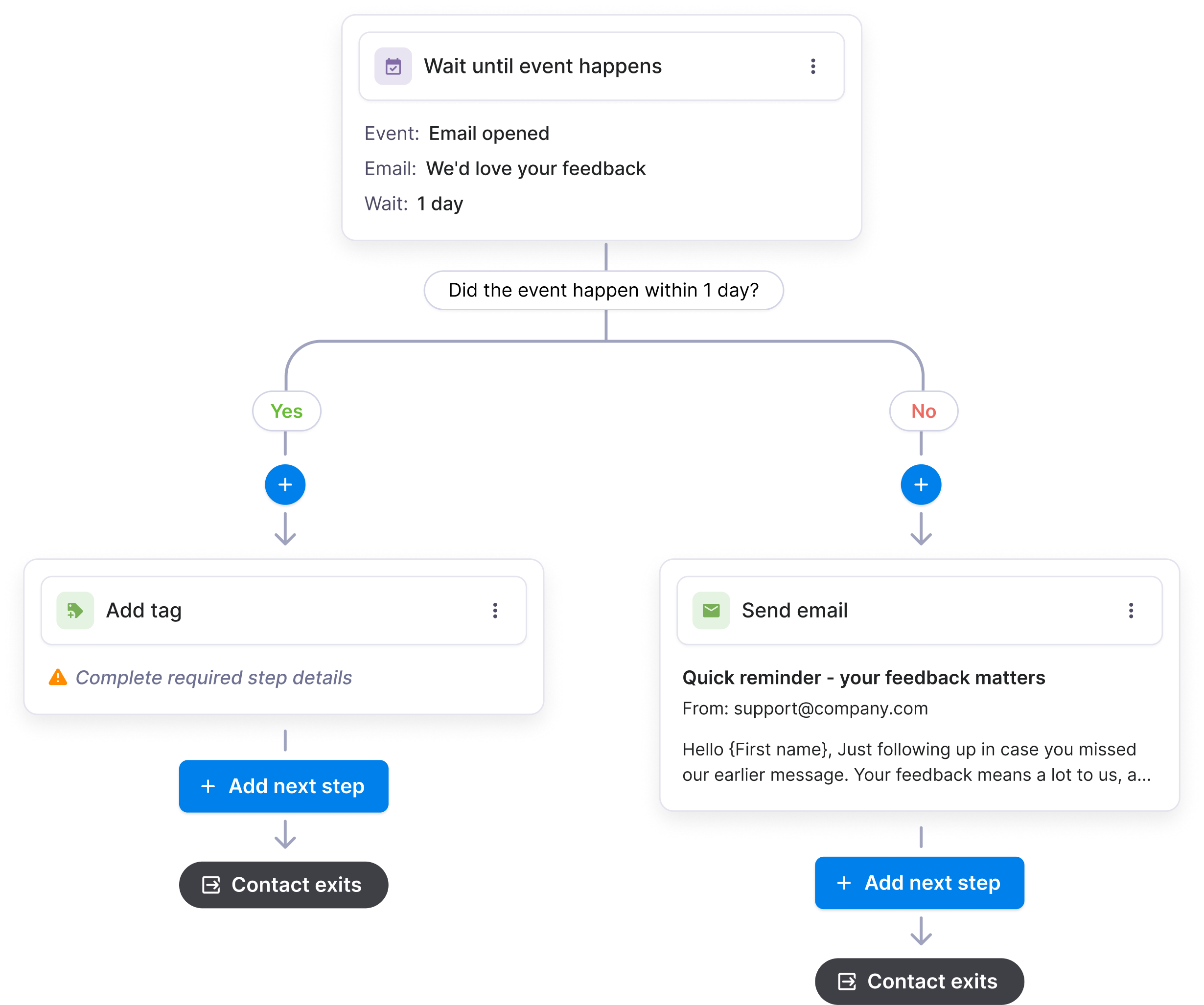
By this point, the question had changed. We no longer needed to prove that there was interest in automation; we needed to decide what the first useful version should include. I mapped the main workflows, the triggers, actions and rules they depended on, and the edge cases we already knew about. Product pushed on where this fit in the roadmap. Engineering pushed on dependencies, failure states and what we could ship reliably. Together, that turned a broad idea into a product we could actually commit to.
We were not trying to build every kind of automation people could imagine. We were trying to cover enough real workflows that the first version would be genuinely useful without making the builder harder than the jobs it was supposed to simplify.
05 / Trade-offs
The research gave us plenty of things we could build. The harder part was deciding which ones belonged in the first release. Some choices made the scope smaller. One choice made it larger on purpose. In each case, we were trading flexibility for clarity, reliability or strategic value.
Because the idea surfaced after Email Campaigns, the obvious move would have been to make automation an email feature. That would have been faster. It also would have boxed us into one part of the product. We chose to connect email with SMS, contacts, lists and tags from the start. That meant more implementation work, but it gave Automation a chance to become shared infrastructure instead of another isolated tool.
Decision: Build across Textmagic, not only around Email Campaigns.Multiple triggers looked like useful flexibility until we mapped what they would do to the model. More starting points meant more loops, conflicting states, edge cases and ways a flow could fail. For the first version, one trigger covered enough of the workflows we had seen and kept the logic much easier to understand and test.
Decision: One trigger per flow.AI-assisted flow creation was interesting, but at that point we still had not proved the core builder. Adding AI would have given us another unknown before the basic system was stable. We chose to make the manual builder work first, then revisit AI once we had something real to build on.
Decision: Core builder first. AI later.06 / Success criteria
Before launch, we agreed on a simple idea: creating a flow was not enough. A useful feature had to get people from setup to a working automation, run reliably once it was active, and ideally increase usage of the parts of Textmagic those flows depended on. That gave us three groups of signals to watch after launch.
Template usage mattered because it connected directly back to the research. If templates were genuinely saving people time, we should see users start from them often, and those flows should be more likely to make it out of draft.
07 / Ready to design
At this point, I finally had enough to move into the interaction model without guessing at the whole product. We knew the main jobs, the boundaries of the MVP, the trade-offs we had accepted, and what we would measure later. Research did not stop there. Prototypes, engineering reviews and later user feedback kept changing details, but this was the moment the first screen actually made sense to draw.
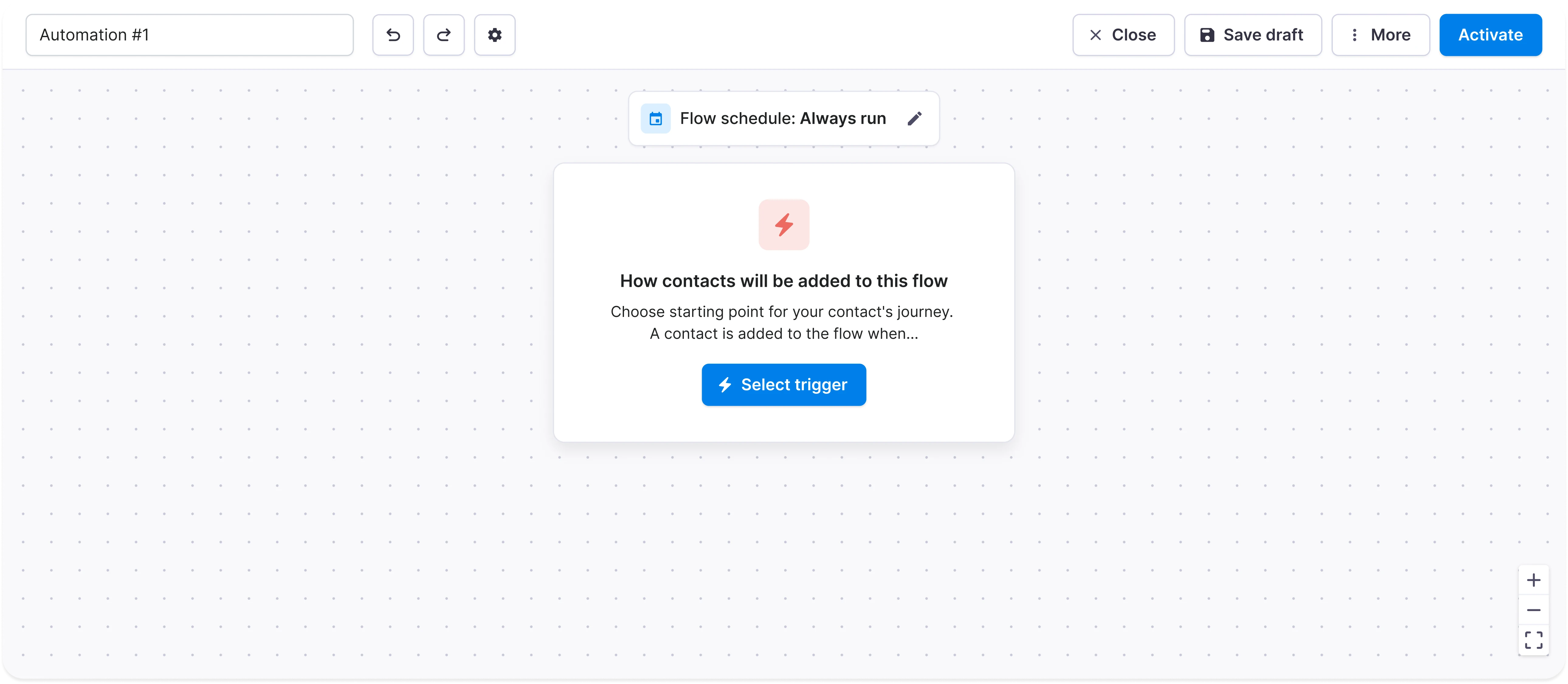
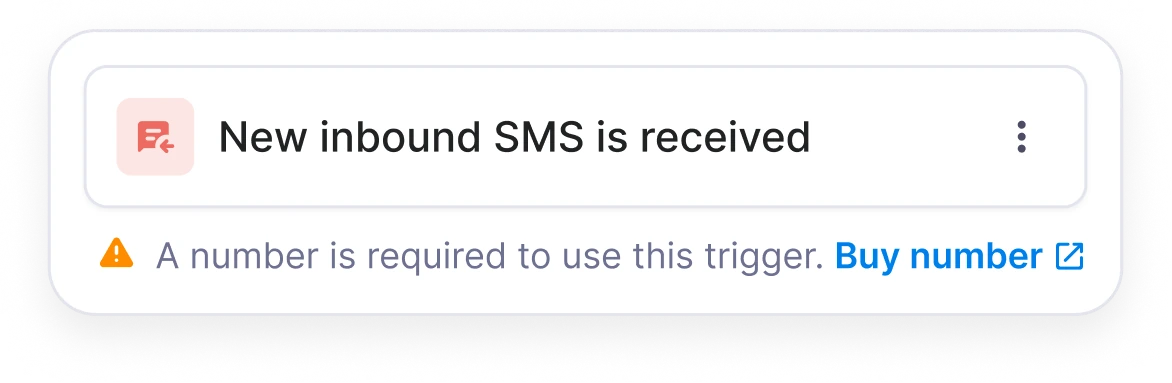
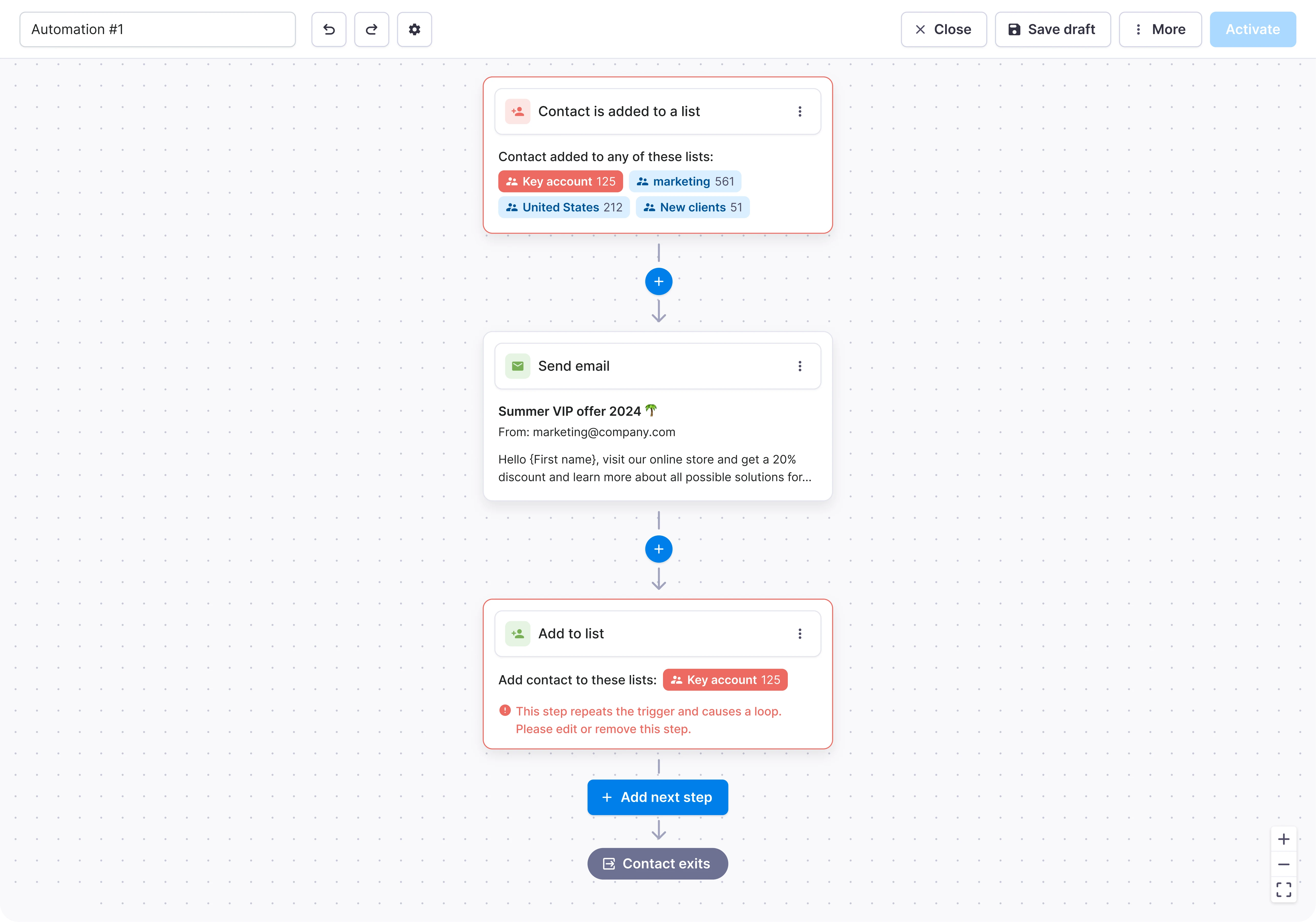
Every flow had to begin somewhere, and in our model that meant one trigger. So the empty state did not try to explain the whole system. It asked for the first decision only: what should start this automation? That gave users a clear way into the builder before we introduced everything else.
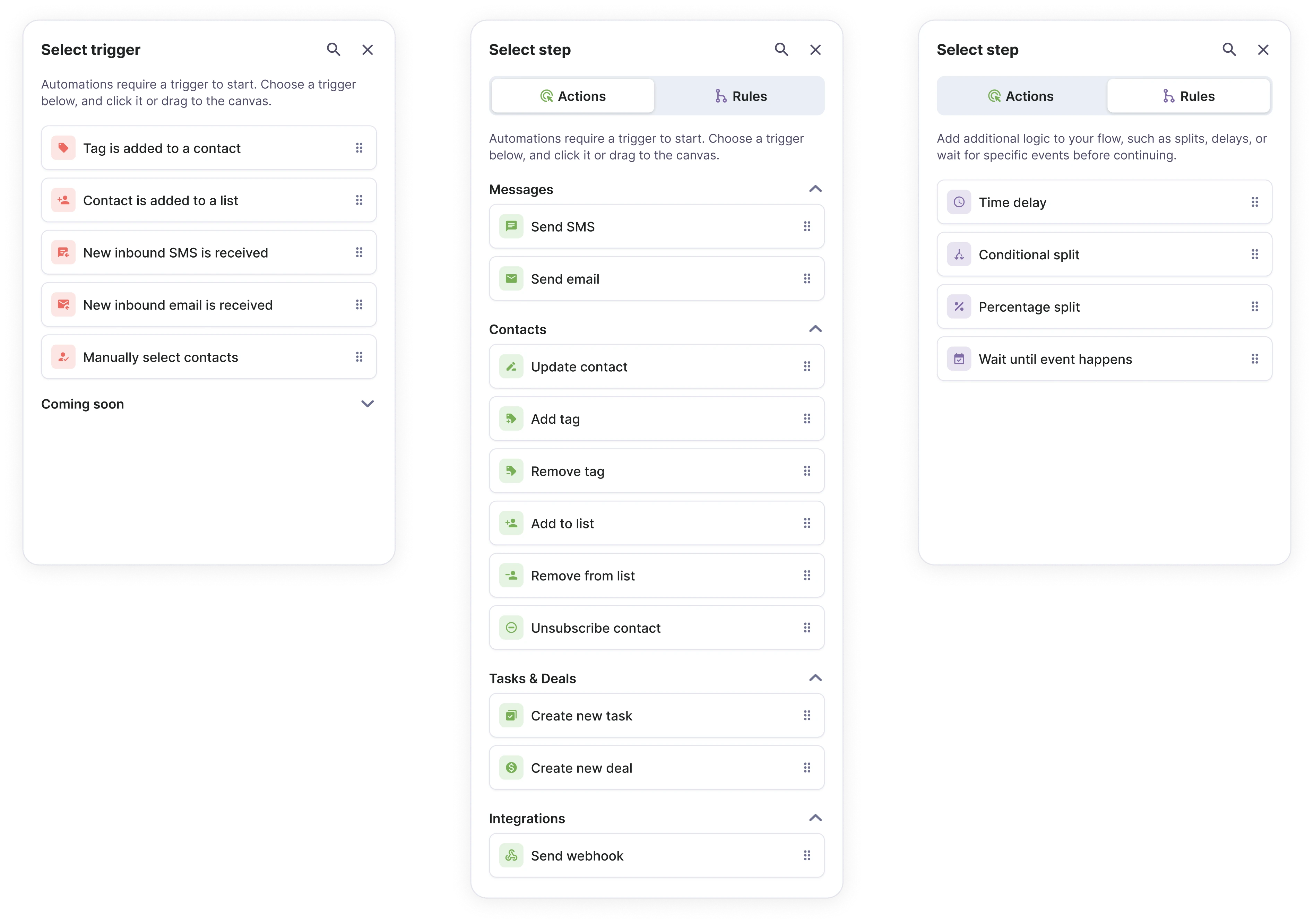
Once the trigger was on the canvas, the problem became the opposite: how do we add enough power without dumping the whole system on the screen at once? We grouped triggers, actions and rules into one sidebar, so the building blocks were always nearby and the canvas could stay focused on the flow itself.
Then came the less visible part of the work. Every block needed states, configuration, validation and edge-case behaviour. We expanded the system piece by piece, checking each new state against the same underlying model so the builder did not turn into a collection of one-off screens.
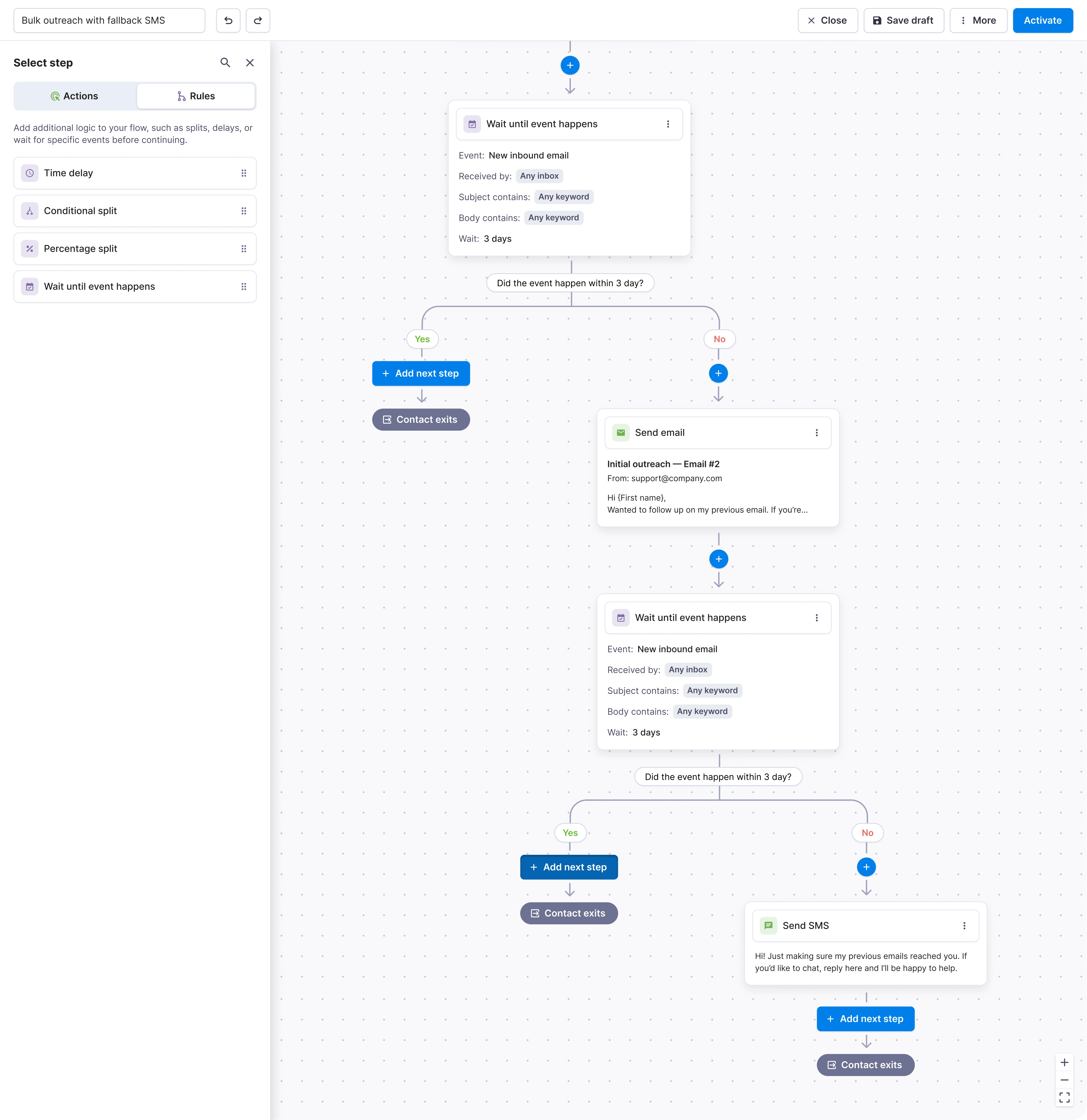
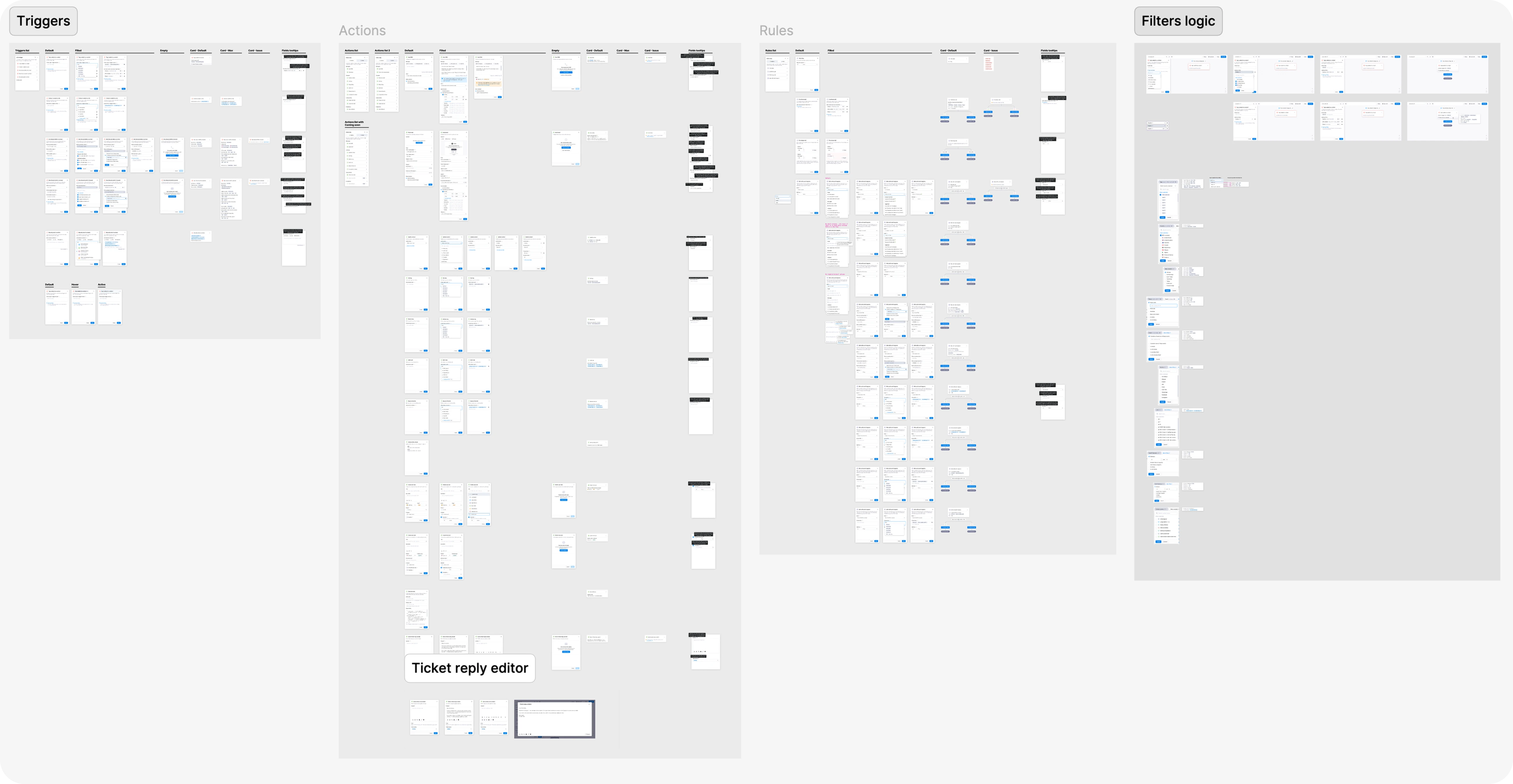
I designed all possible states for cards and sidebar elements upfront to make sure no scenario was missed. It’s much easier to think through edge cases early, and it tends to keep developers happier later 😊
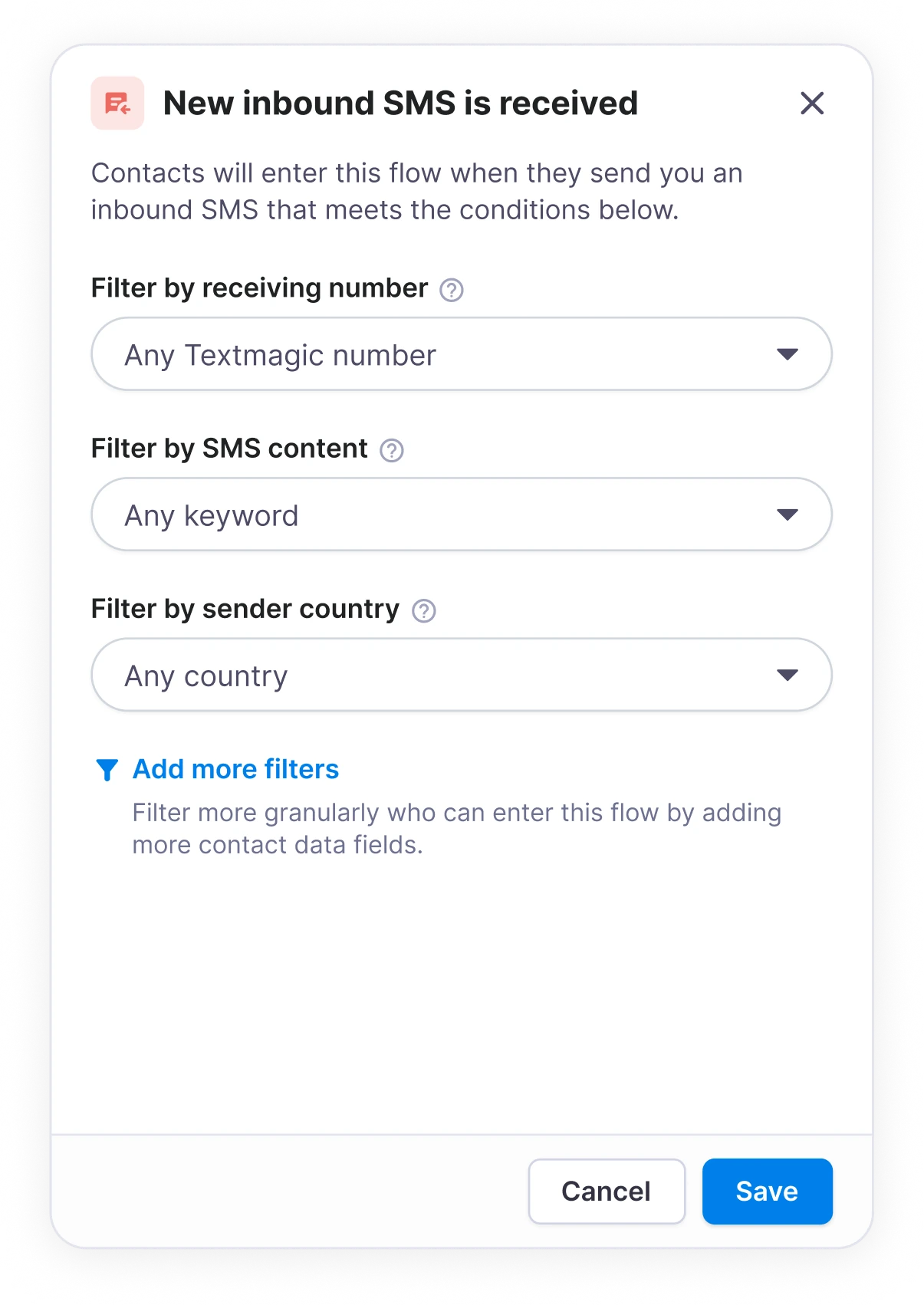
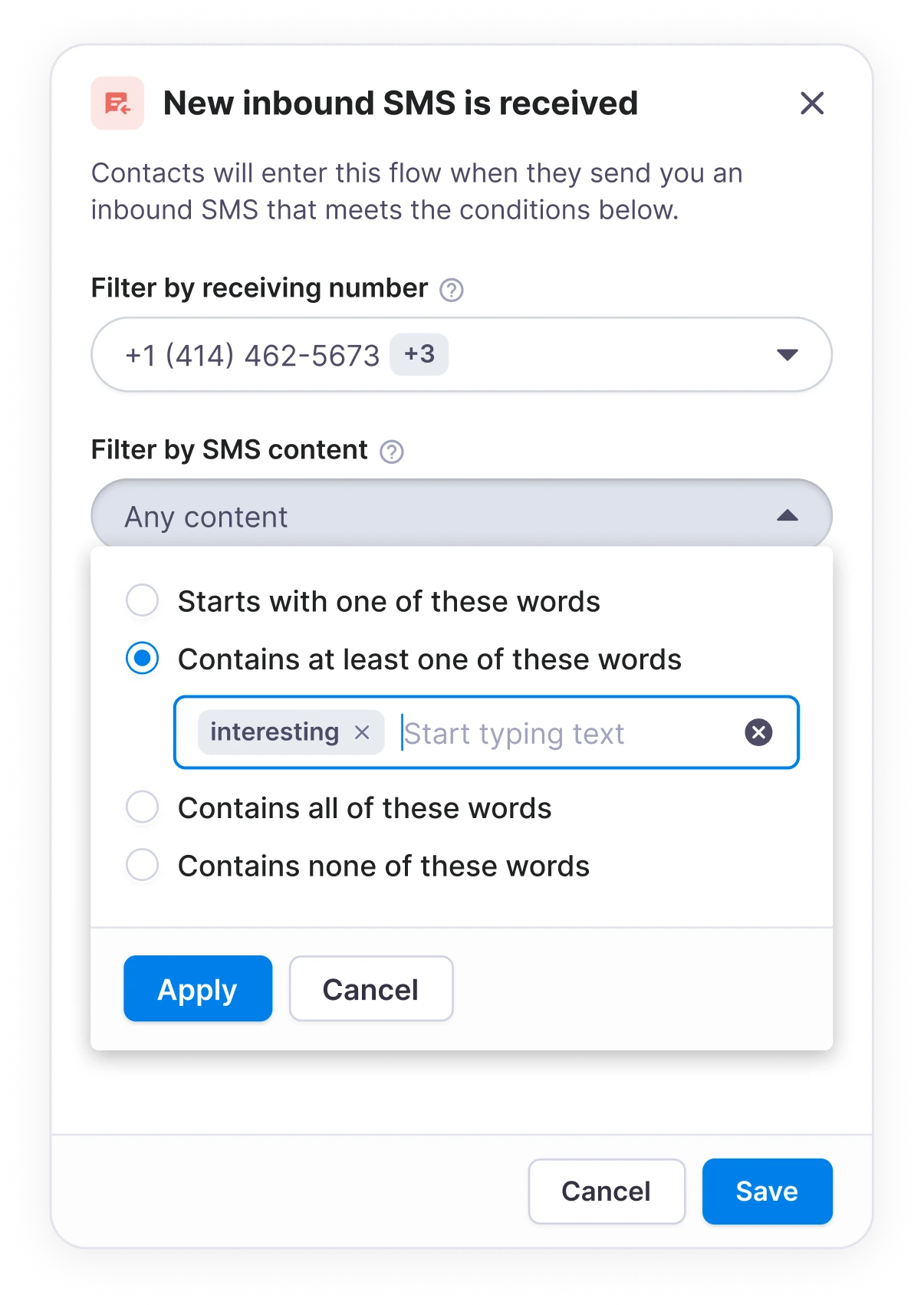
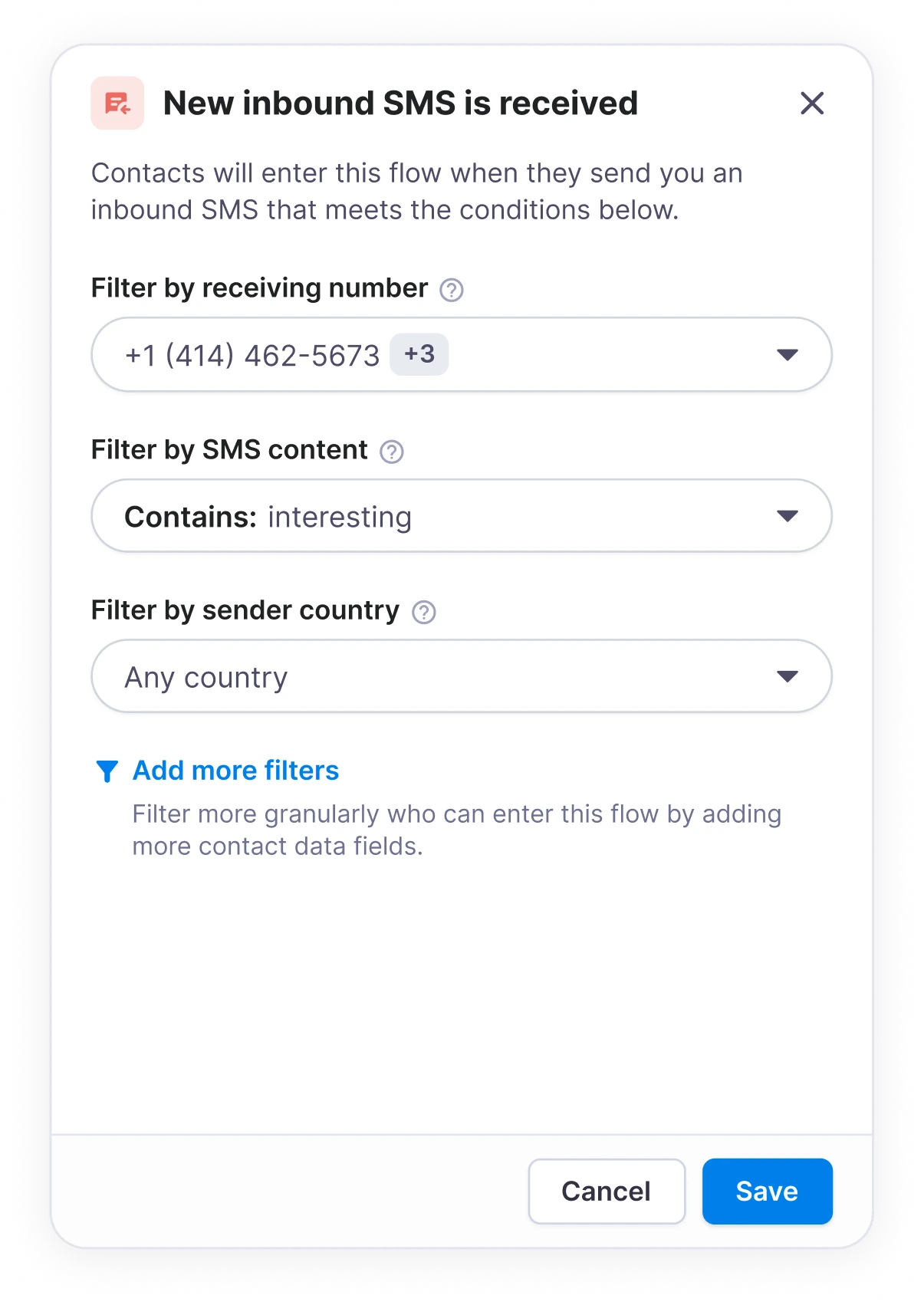
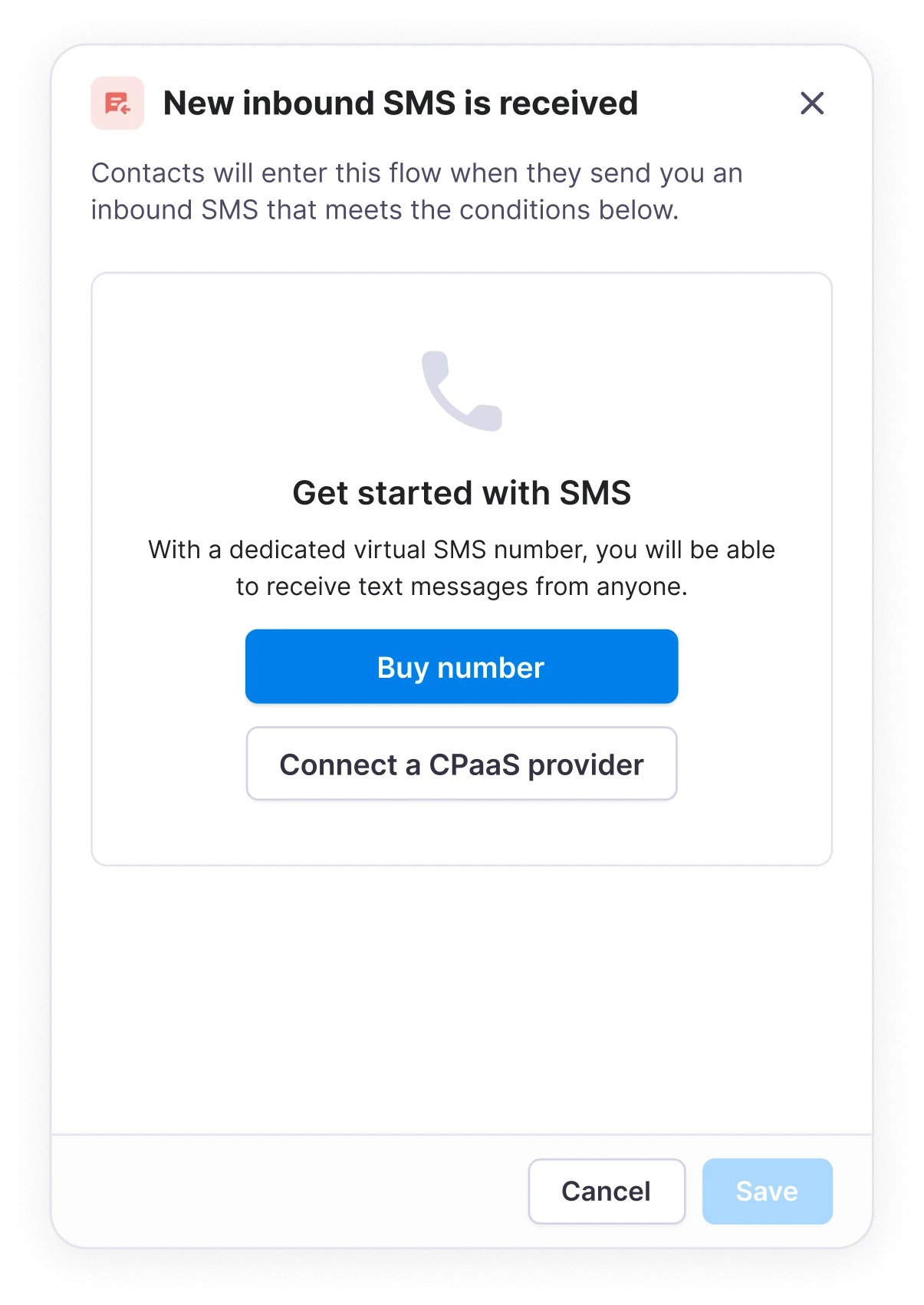
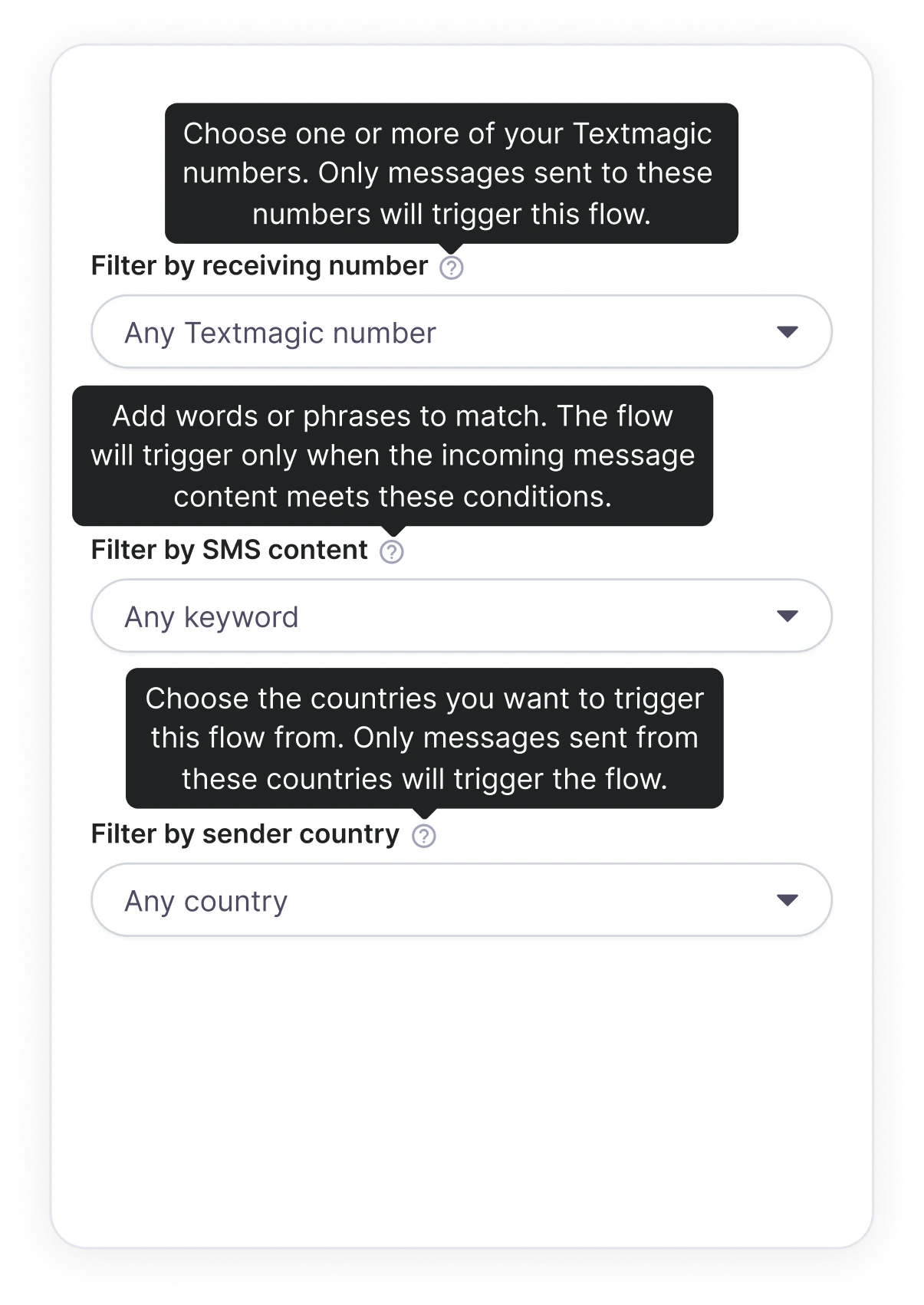
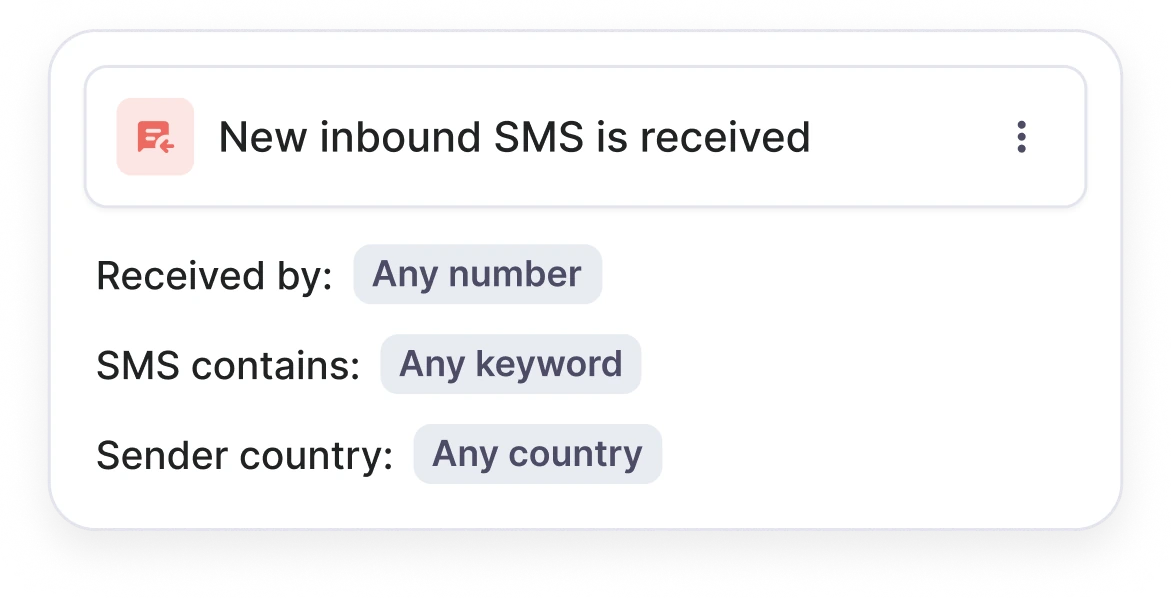
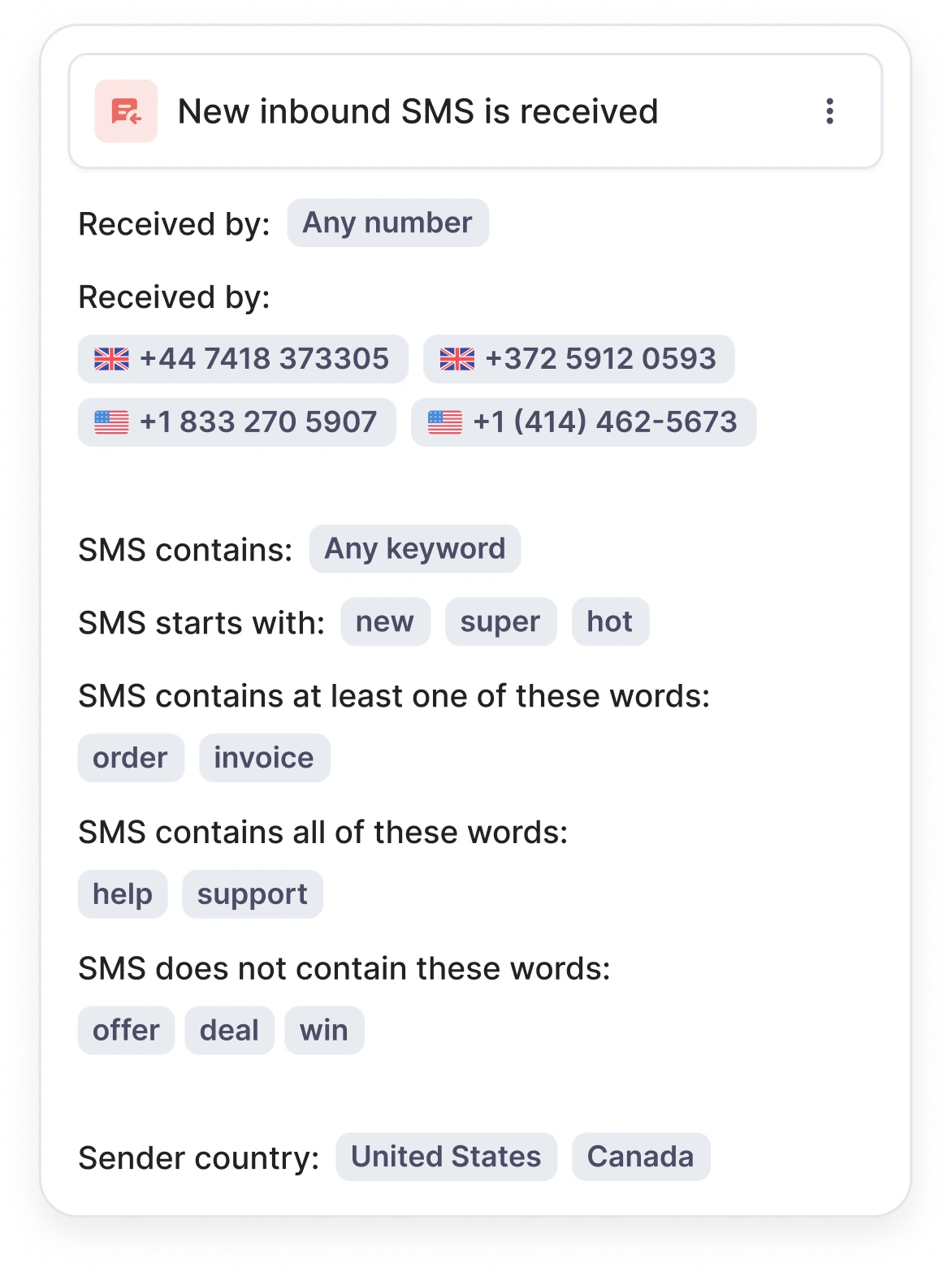
The flow builder needed more than a happy path. I mapped triggers, actions, rules and filter logic together, including the variations and edge cases each building block could introduce.
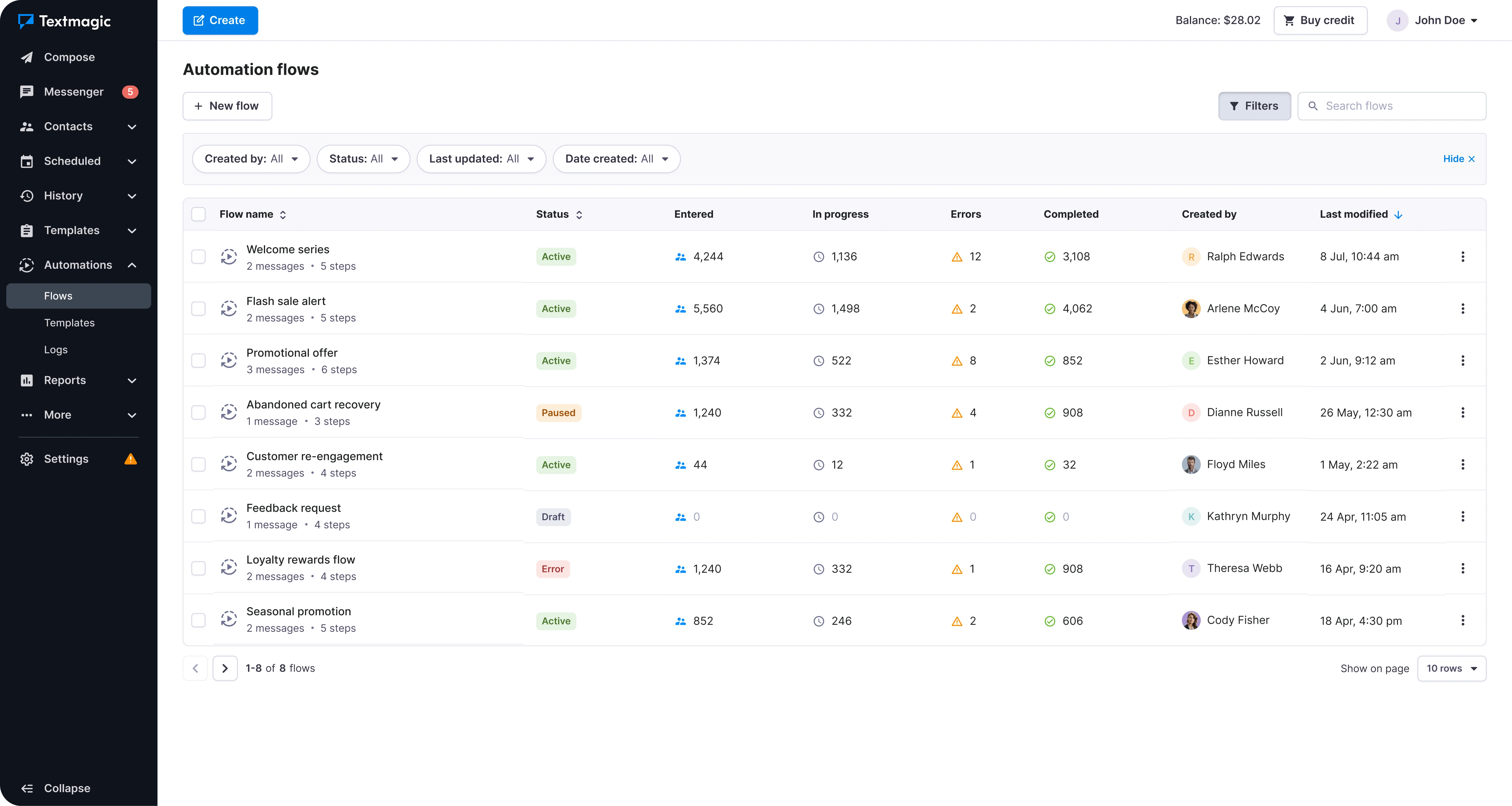
We designed the index page late on purpose. Until the builder itself worked, we did not really know what people would need to scan, compare and manage across several automations. Building it later meant the list could reflect the actual information a finished flow produced, instead of assumptions we made at the start.
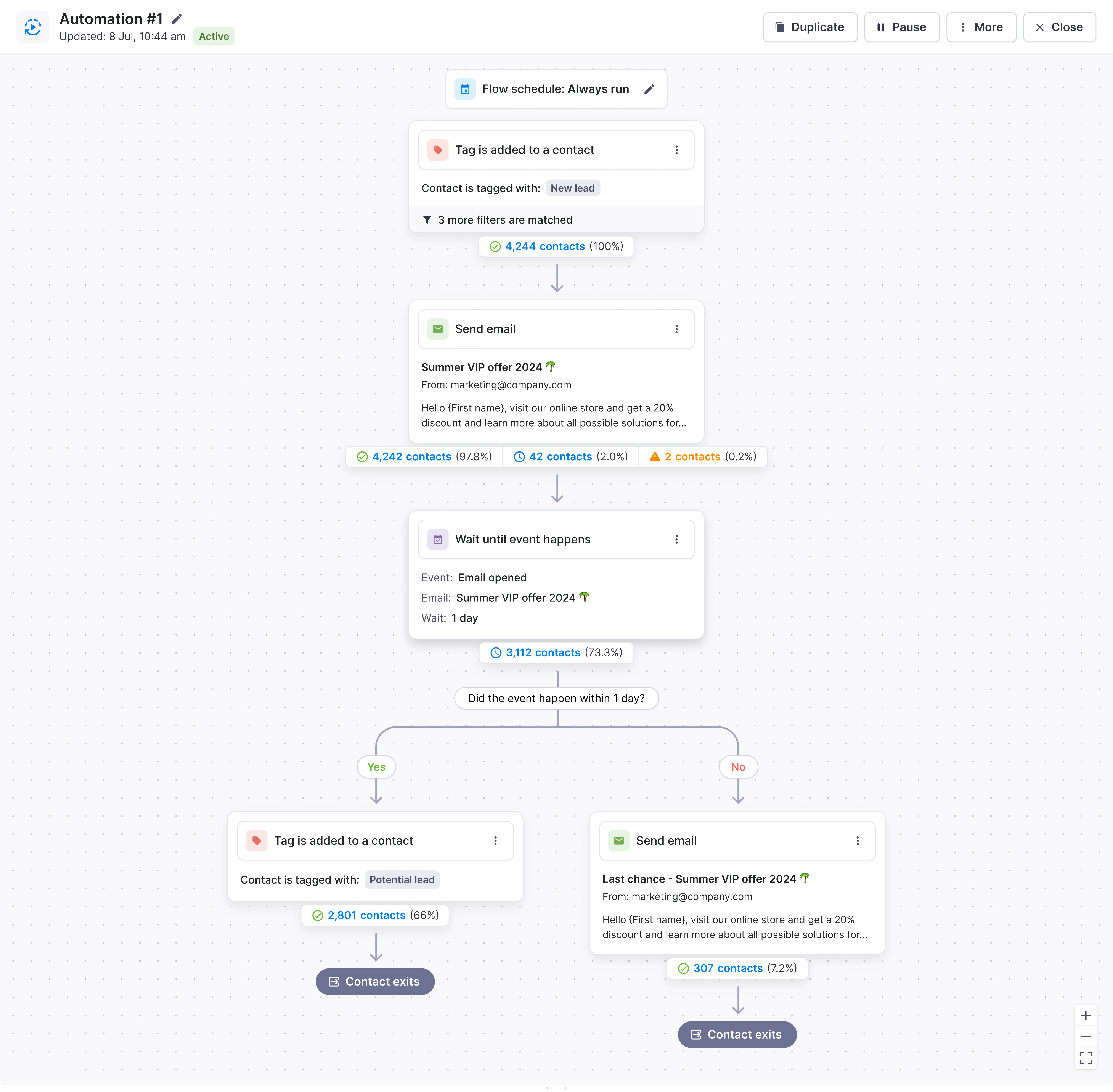
Automation Flows launched in December 2025. What began as an unexpected pattern in Email Campaigns feedback became a cross-product feature for recurring work across messaging and contact management. The research shaped almost every important boundary of the first release: templates instead of a blank-canvas-first approach, one trigger instead of multiple, a shared automation layer instead of an email-only tool, and a reliable core before AI. The first month was our reality check. People were not just creating flows; they were running them, starting from templates, and using more of the product around them.
I have rounded these numbers for the portfolio. They show the direction and approximate scale of the first month, not Textmagic’s exact internal data.
That mattered because Automation had been designed to connect parts of Textmagic, not sit beside them. If the idea was working, we expected to see movement in the product areas flows depended on, including messaging, contacts, lists and tags. In the first month, those signals moved in the same direction.
Thanks 👋


 04 / Product definition
 05 / Trade-offs
 06 / Success criteria
 07 / Ready to design