 01 / Discovery
 02 / Hypotheses
 03 / Framing
User needs
Did customers send email, what did they like or miss in current tools, and what would make switching worthwhile?

Research, product framing, interaction design and bringing email into the existing product
Compose, Templates, Scheduled and History had all been designed around SMS. Adding email meant revisiting how each of them worked.
Let customers create and send email in Textmagic, using the parts of the product they already knew wherever that still made sense.
Approximate figures; presented as directional first-month results.
Research
Bulk email was not part of the SMS product at first. Tickets already let customers receive and reply to support emails. That was a different job, though the existing email functionality later gave us a starting point for campaigns. Customers kept asking for bulk email. Before bringing it into Textmagic, I needed to understand whether our SMS users sent email and what would make them move that work from their current tools.
01 / Discovery
In surveys and follow-up interviews, I asked whether customers used email and whether they would use it in Textmagic. We talked about what they liked or missed in their current tools, what would make switching worthwhile, and practical concerns like pricing, contact sync and migration. One recurring request was to see a contact’s communication history in one place: support email and tickets in one tool, marketing email and SMS in another. These findings helped define the MVP and which competitor features were worth adopting.
02 / Hypotheses
Based on the requests we were hearing, I wanted to check whether email belonged in Textmagic and what our SMS customers would need before using it here.
If email kept more of each contact’s communication in one place, customers would have a reason to use it in Textmagic.
ConfirmedCustomers would expect email basics like sender setup, templates and scheduling.
ConfirmedTo switch, customers needed useful templates and a choice of ways to create email content.
ConfirmedA third-party editor could support richer emails while the rest of Compose stayed familiar.
Partially confirmed03 / Framing
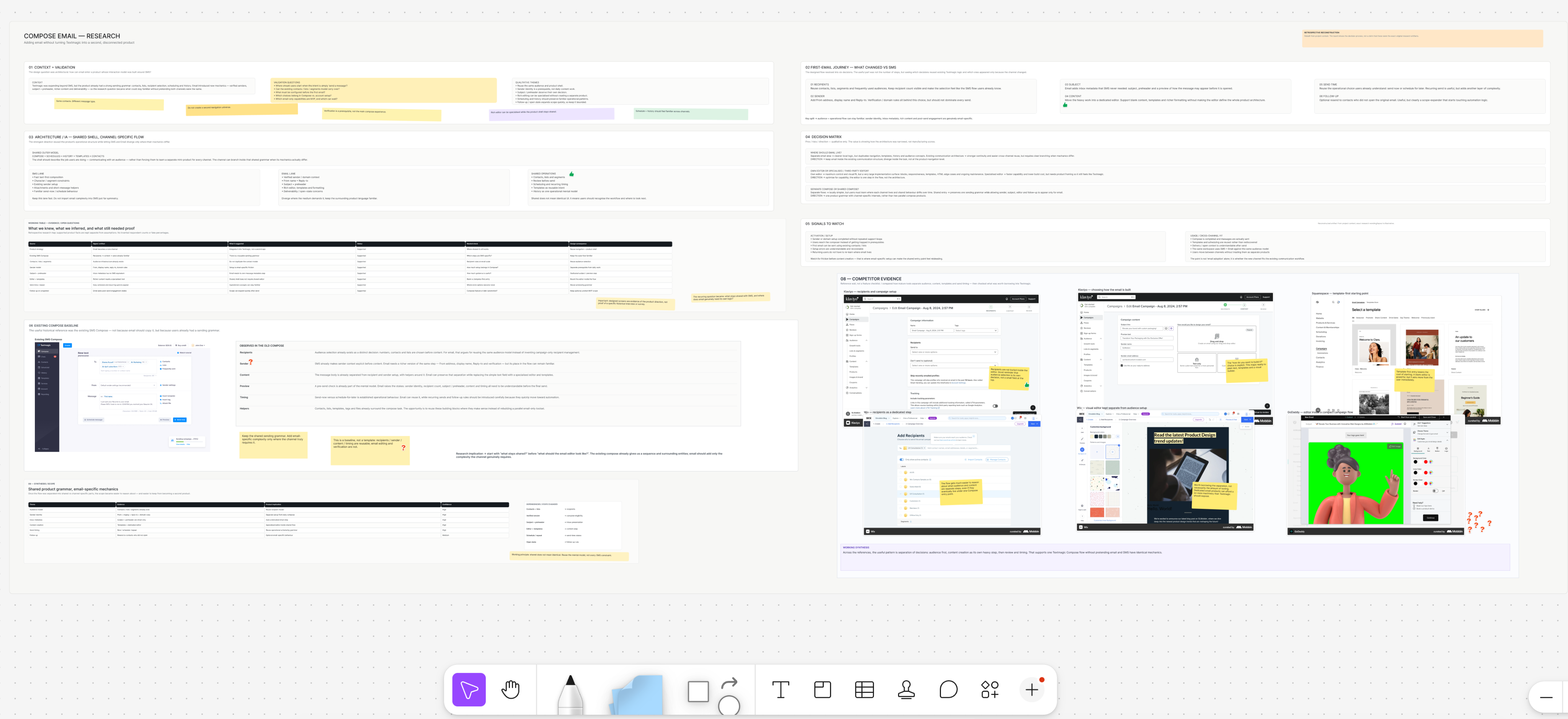
After discovery, I grouped the requests, compared competitor tools, and checked ideas against what Product and Engineering could support. The hard part was fitting email into a product built around SMS: Compose, Stats, History and Schedule all assumed every message was a text. We had to revisit much of the navigation without making familiar SMS tasks harder.
Did customers send email, what did they like or miss in current tools, and what would make switching worthwhile?
Compose, Stats, History and Schedule assumed every message was an SMS. Email had to fit without making those flows harder.
Email could bring more of customers’ day-to-day communication into Textmagic and make the product more useful to them.
Which features did customers value in other tools, and which were worth bringing into Textmagic?
04 / Product definition
We kept Compose in the same place and added a switch between SMS and email. Both channels started from a familiar pattern, but the steps could change where email needed more. Customers could create either kind of message without learning two separate Compose flows. The same change also had to reach Scheduled, History and Templates.
One Compose area, with a switch between SMS and email.
Compose → create an emailScheduled → future sendsHistory → sent emailsTemplates → reusable content
This case is about creating an email in Compose. The Email Campaigns case follows what happens next in the rest of Textmagic.
05 / Trade-offs
The main question was how much of the SMS Compose flow we could keep and where email needed its own controls. We also had to decide whether to build an editor ourselves or use one that already handled richer content.
A separate Campaigns area would have kept the email tools together, but it would also add another place to find them. We put email into Compose, Scheduled, History and Templates instead.
Decision: Keep email in the existing product areas.Building the editor ourselves would have meant more work to build and maintain. We used a third-party editor and focused on how customers got to it, chose a template, set up the email and checked everything before sending.
Decision: Use a specialist editor and design the steps around it.SMS and email looked similar at first: choose recipients, write a message and send it. Email also needed sender details, richer content, previews and timing. We kept one Compose area and added a switch between channels, changing the later steps for email. It was not the most visually tidy option, but it kept both channels in one familiar place.
Decision: Keep one Compose area and add an SMS/email switch.06 / Launch measures
The results give an early read on adoption, sending scale and delivery: how many customers sent email, how much went out, the reach of the largest campaign and the delivery rate. They do not tell us about repeat use or long-term retention.
All figures are approximate; the time period is noted where available.
07 / Design
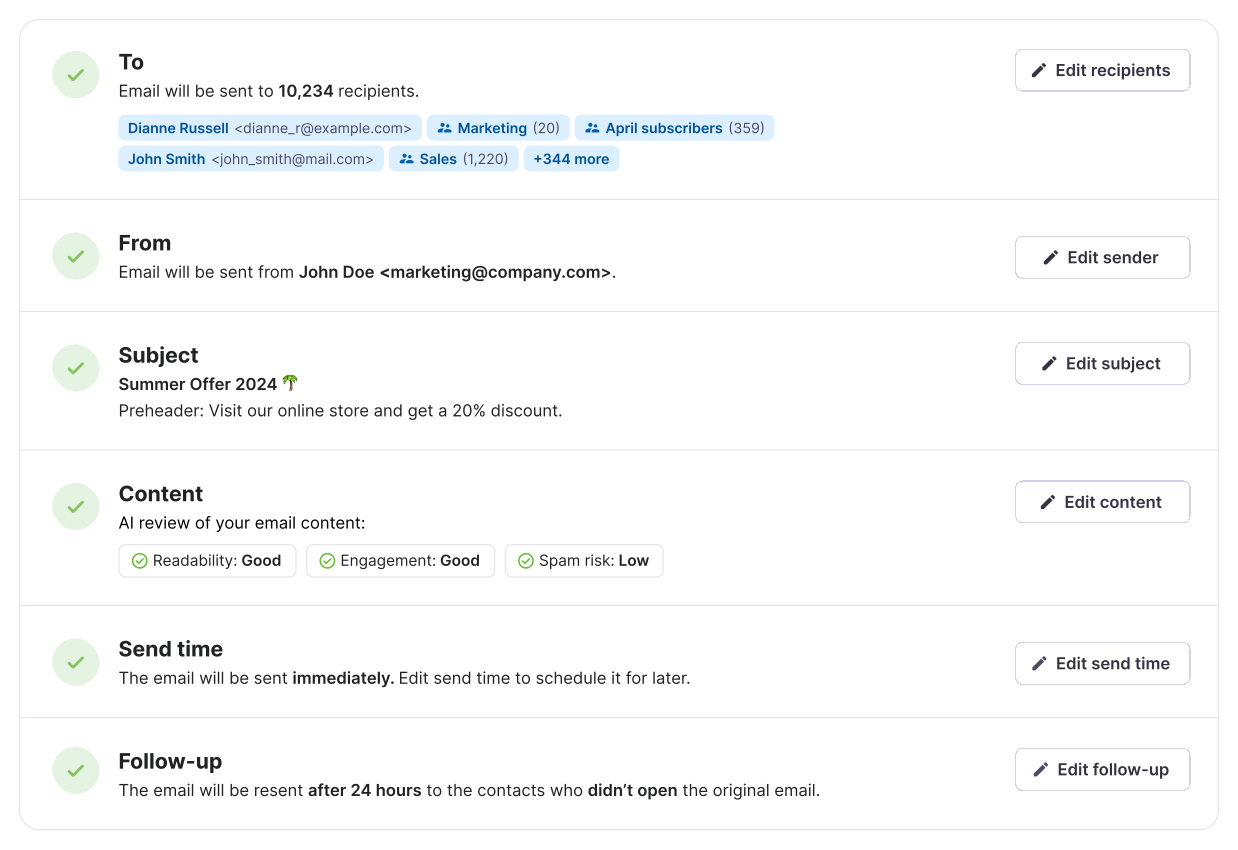
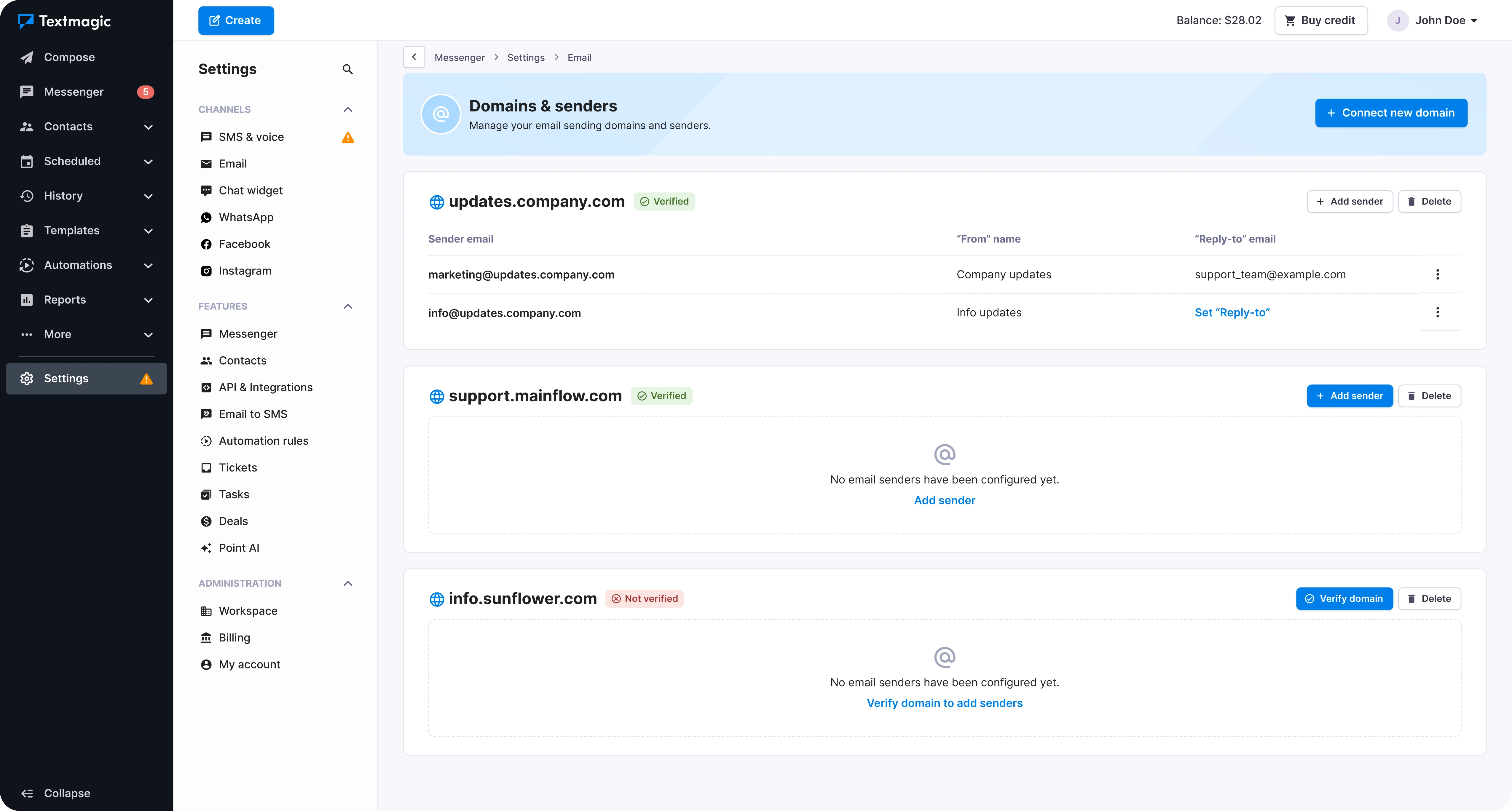
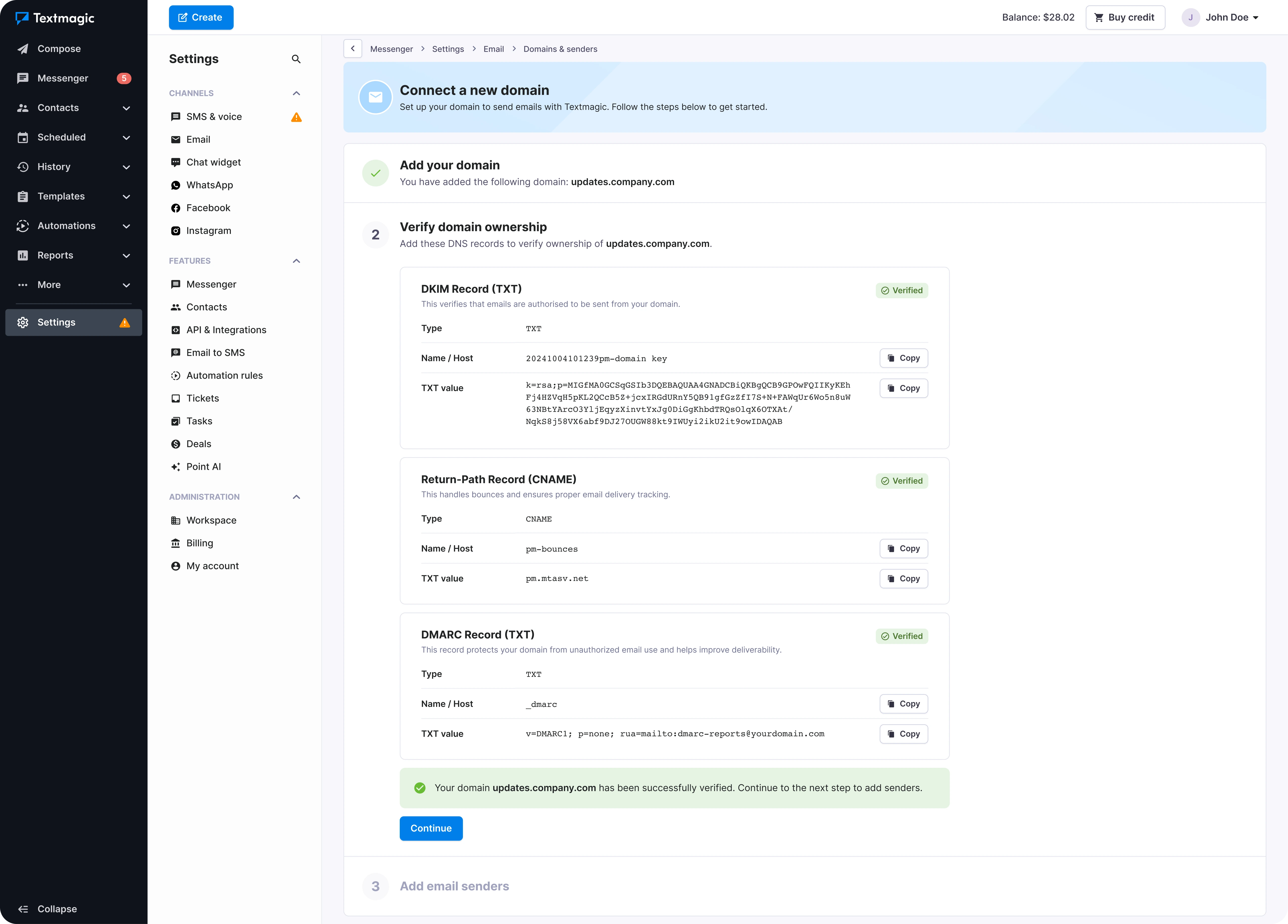
Most SMS messages needed only a few details, so they could be set up on one screen. Email needed recipients, sender, subject, content, timing and follow-up. I broke Compose into steps people could complete and come back to later.
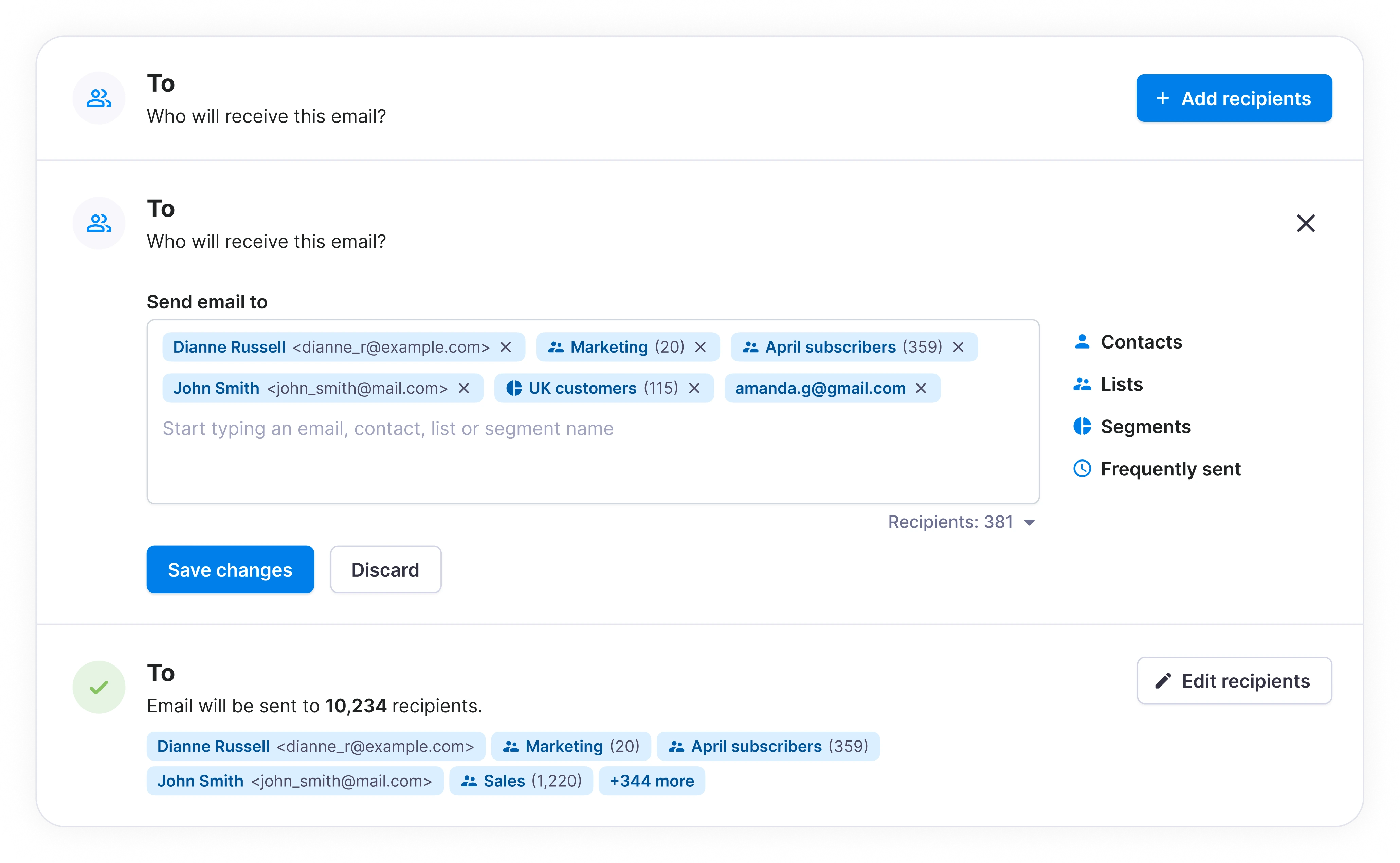
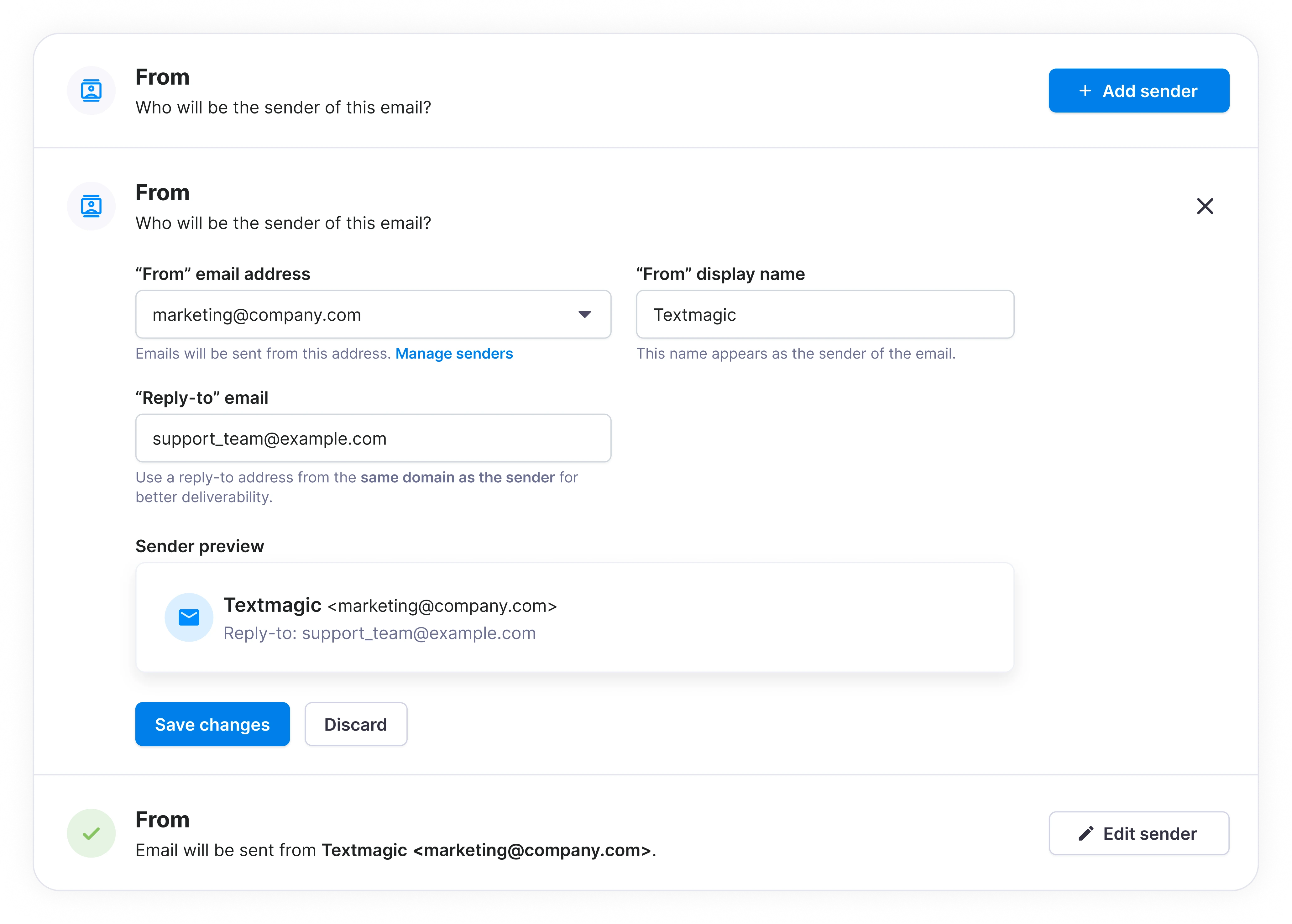
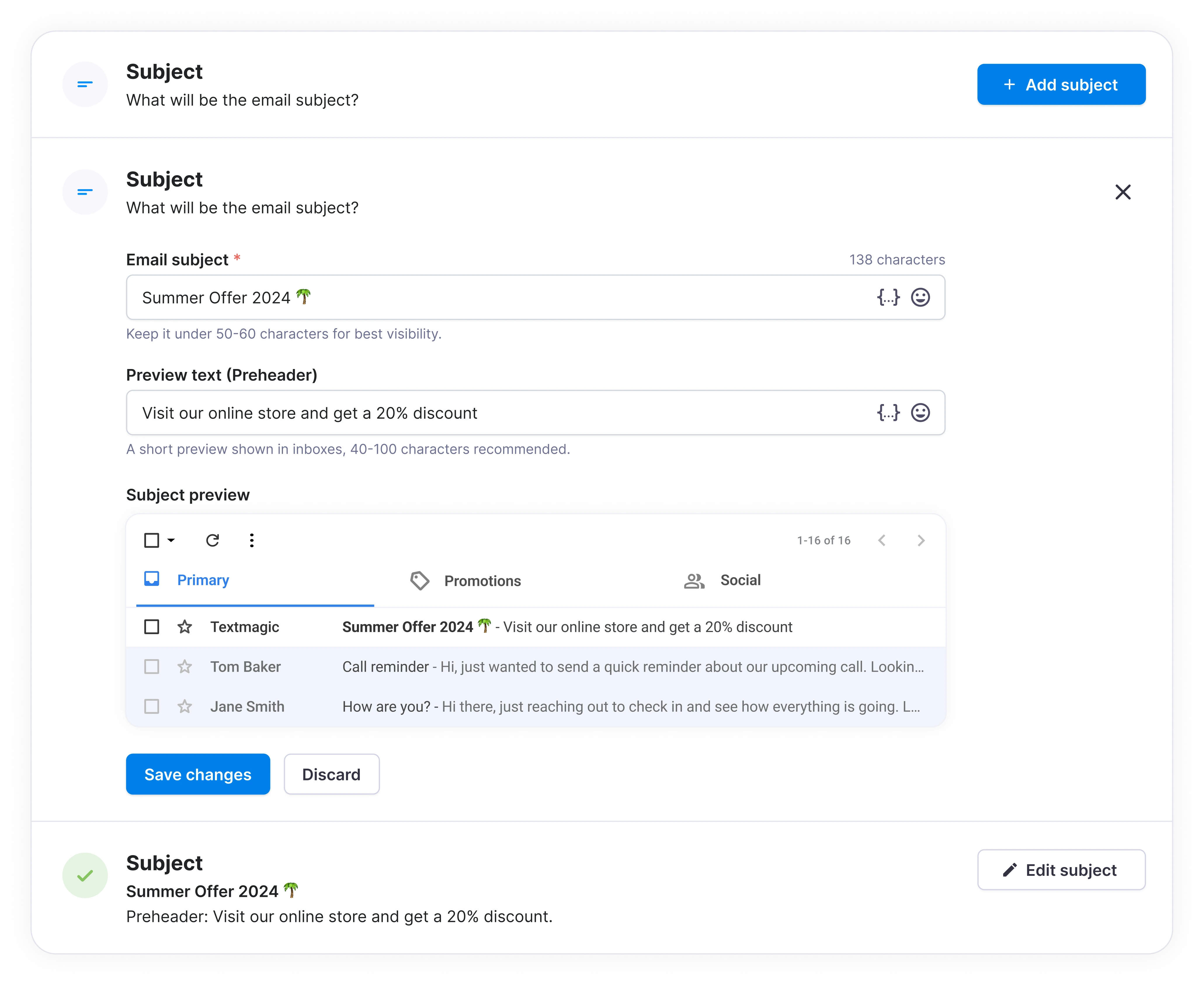
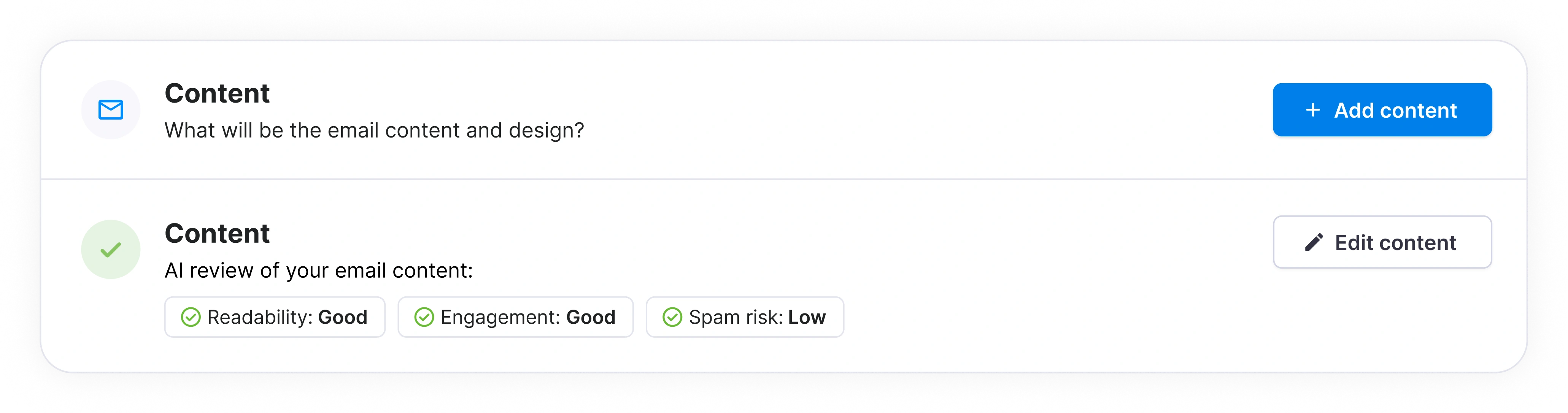
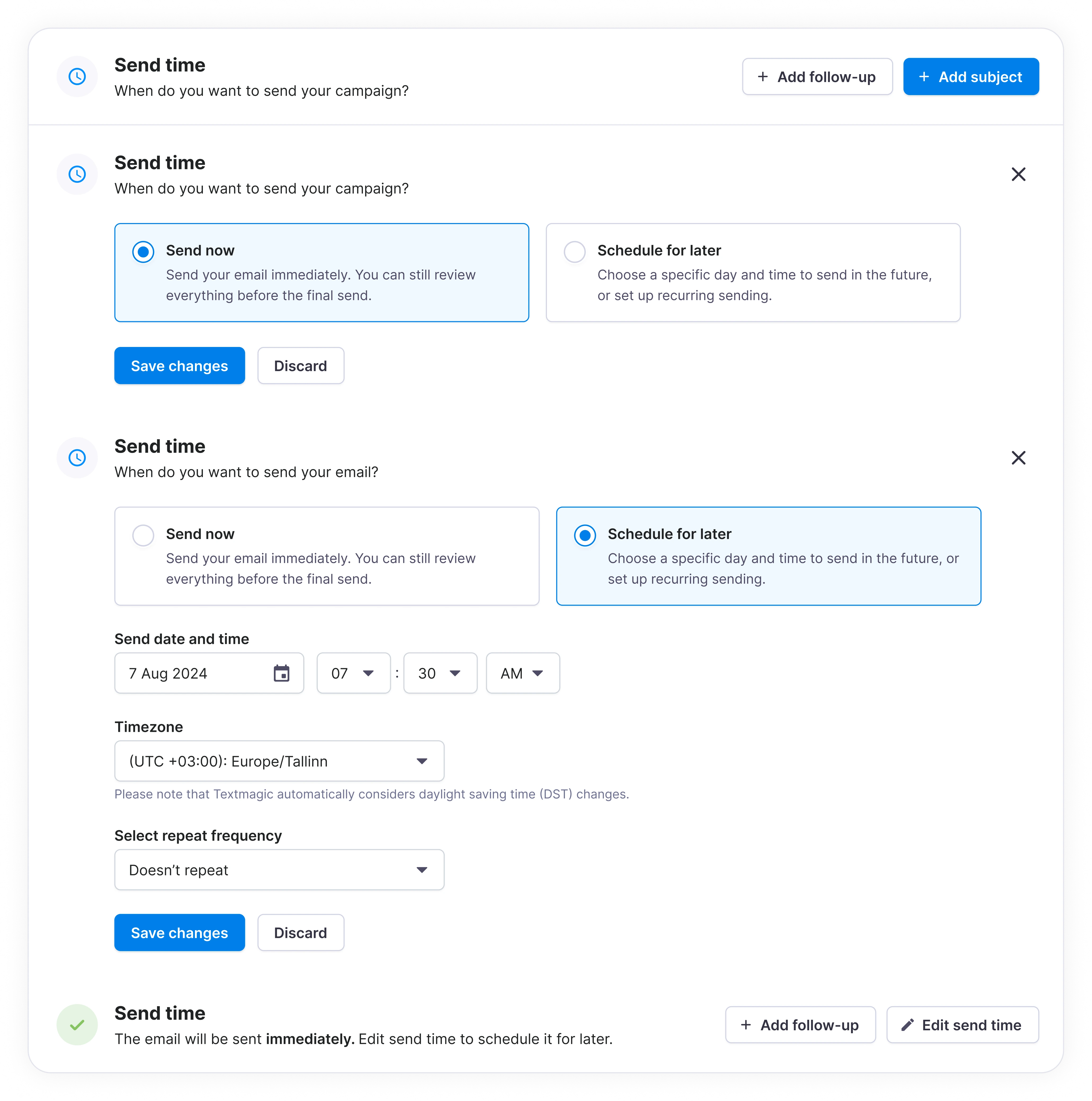
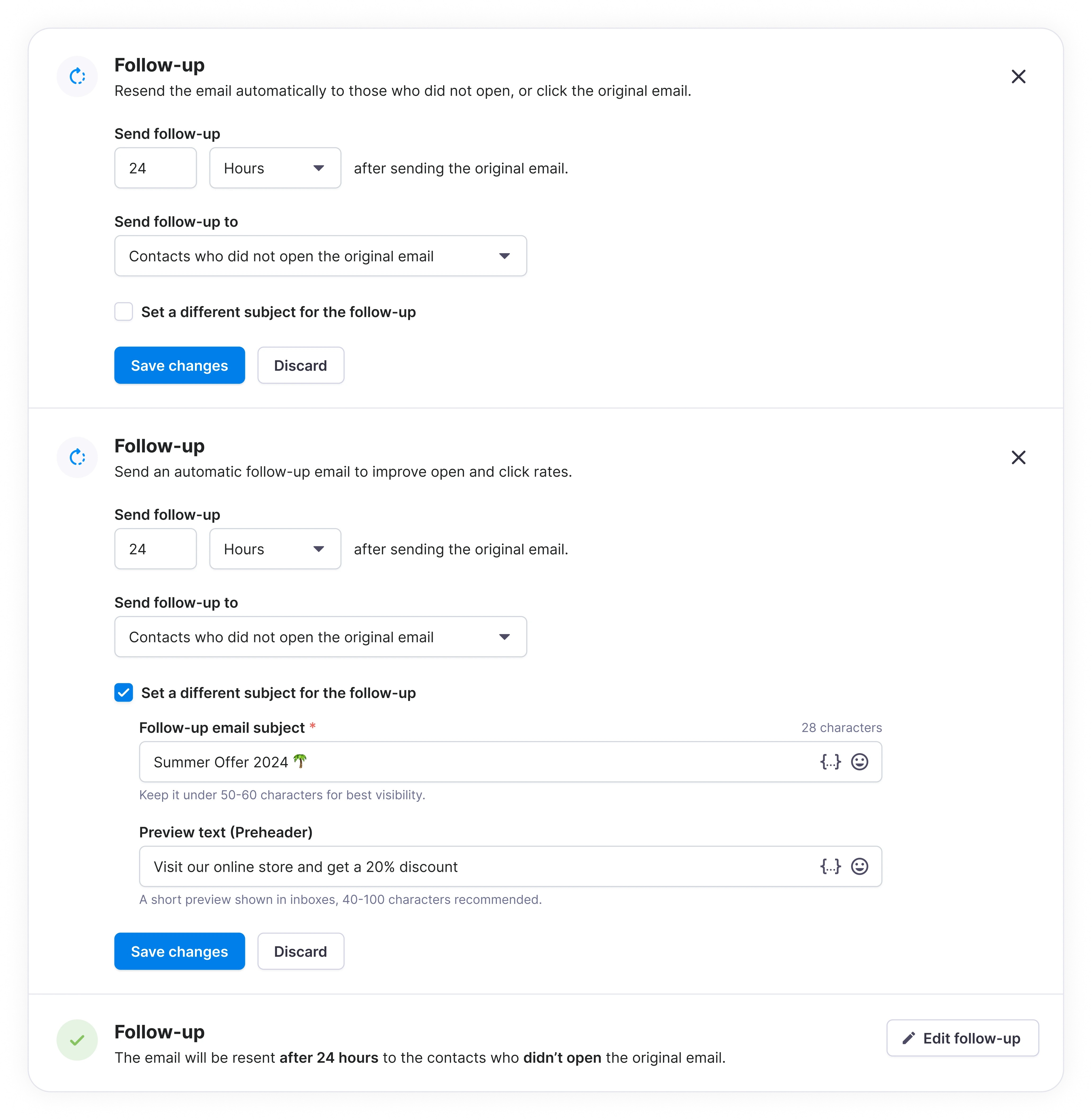
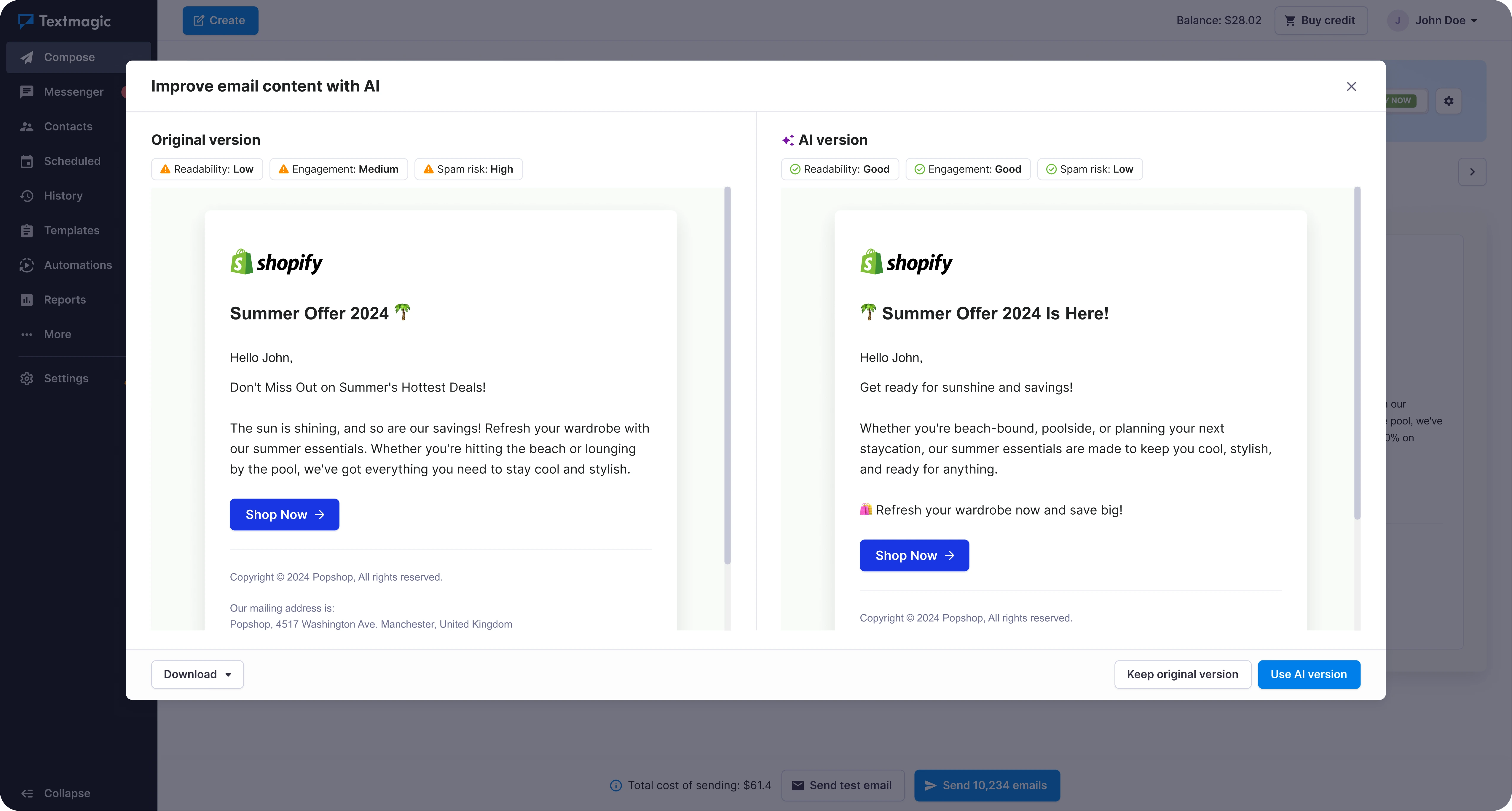
We used a third-party editor for emails with richer content. I focused on how people got to it from Textmagic, including templates and simpler emails, and how they could review the result before sending.
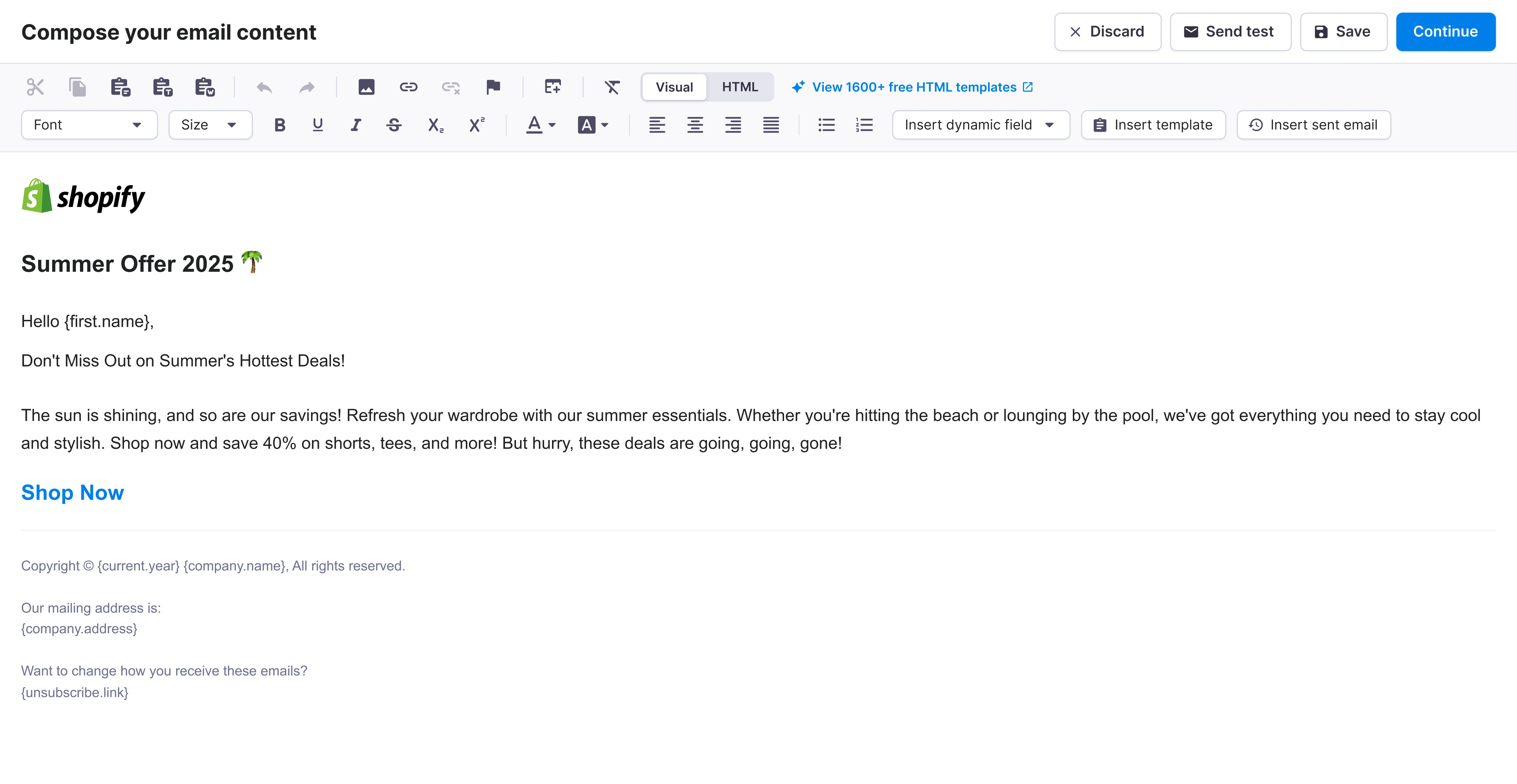
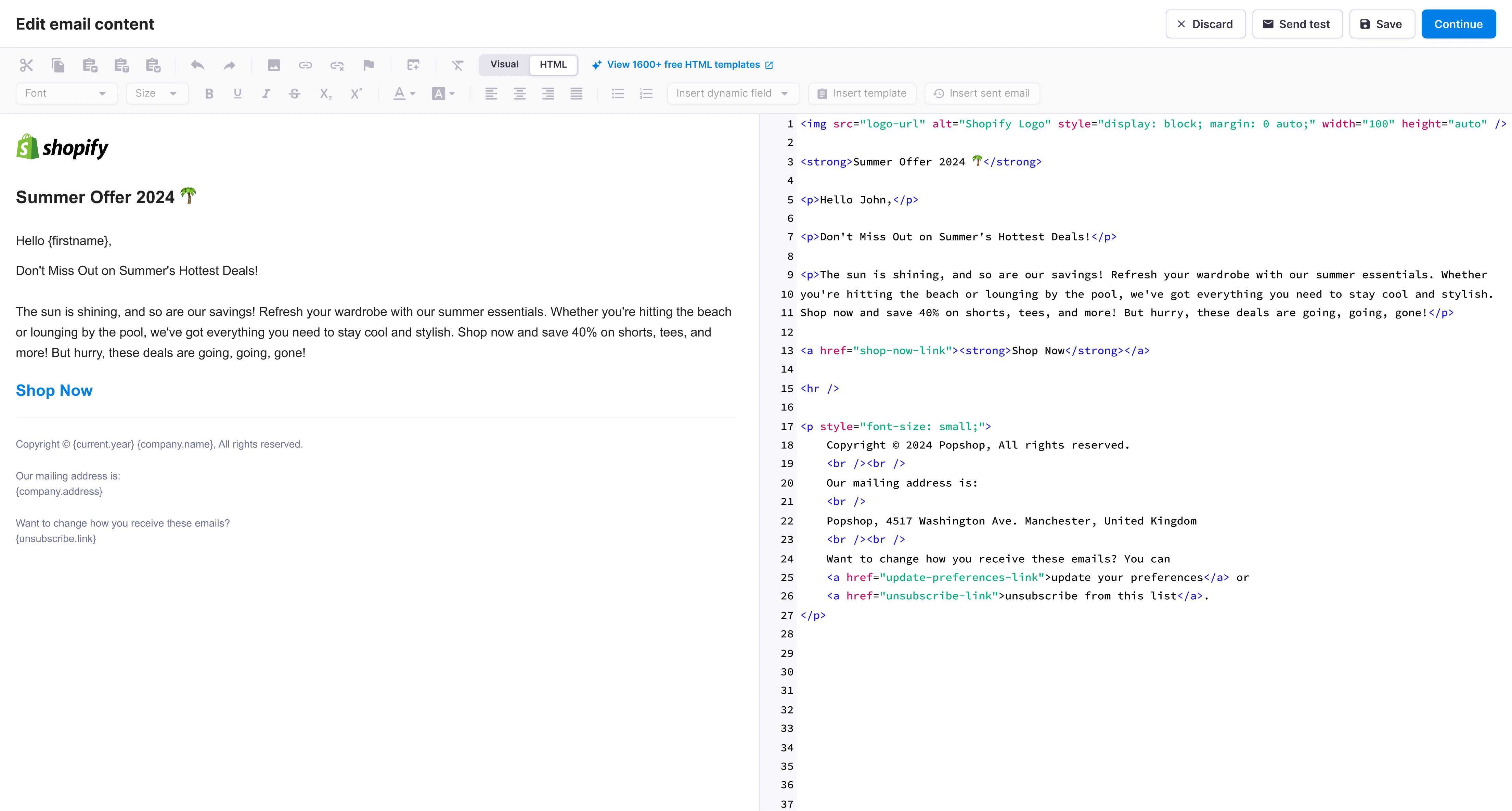
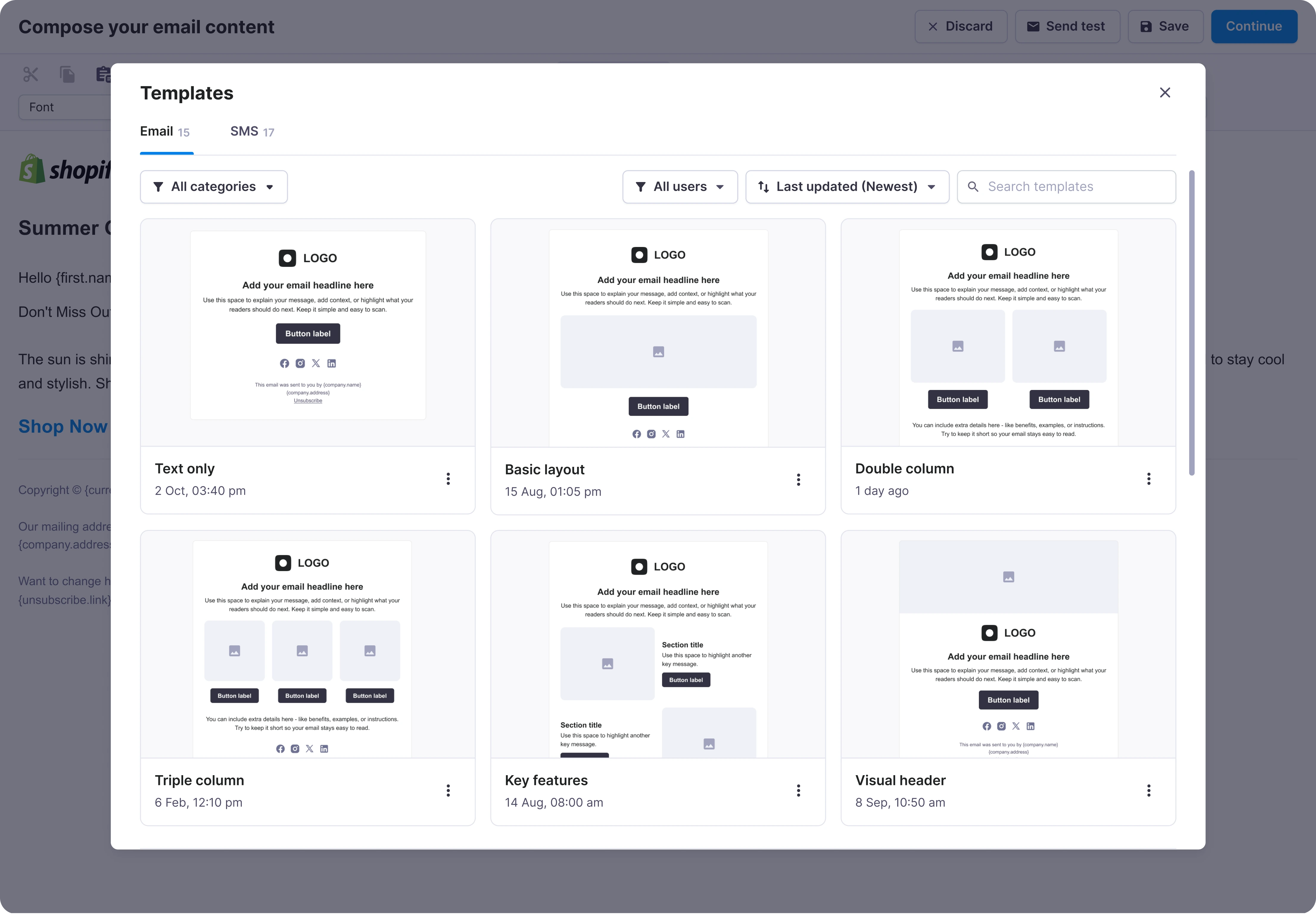
After completing the steps, customers could review recipients, sender, content and timing in one place. They could go back and change any part before sending.
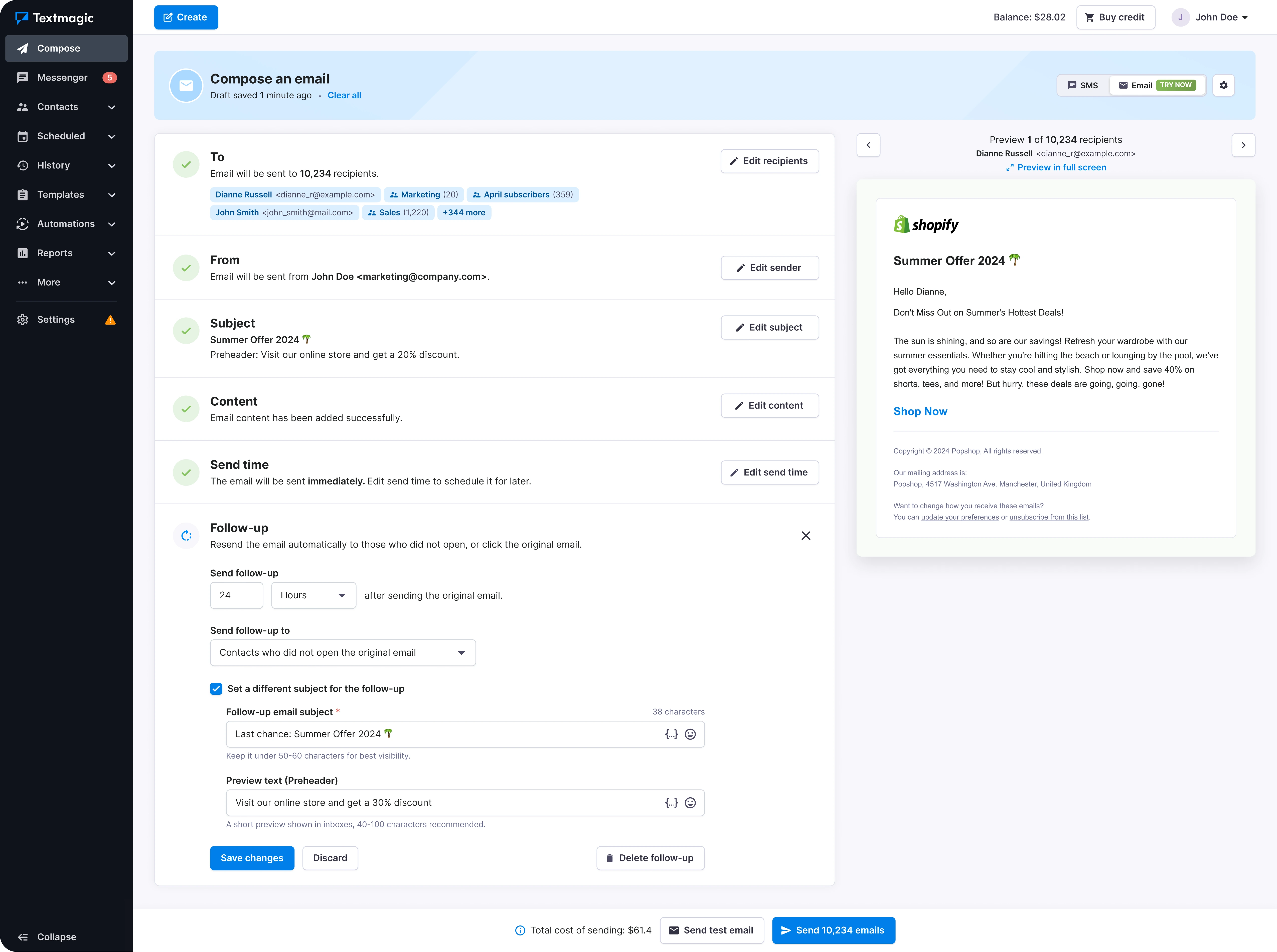
Customers kept asking for bulk email, but Textmagic was built around SMS. Research showed that many wanted to handle more of each contact’s communication in one place, and helped us set the MVP scope. The hardest design decision was how to fit email into the existing product. We kept one Compose area with an SMS/email switch. It was not the cleanest-looking option, but customers could work with both channels in one place they already knew.
Approximate figures; presented as directional first-month results.


 04 / Product definition
 05 / Trade-offs
 06 / Launch measures
 07 / Design